





Help
Device guides
Samsung
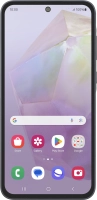
Galaxy A35

Samsung Galaxy A35

f-113b4e9d-2605-4aee-b521-e95b3007b714
f-234caf96-25e2-4f27-aeaf-ee2ab2ff2e40
f-fda06747-b9ec-4823-ab5b-ab81a5fd2692
f-1da8db16-1ae1-471e-bde1-53bb1038e5f2
f-9c3f76af-d277-4bfc-b8aa-d7c09374fcc5
f-cd2c0b6d-a21e-4c9c-aeb0-f4317c04878d
f-1eb98e53-8503-491d-b5c0-f317dbd2f762
f-576d7446-ba77-457d-978f-30311328eaf5
  • Device home
  • Getting started
  • Basic functions
  • Calls, contacts, messaging
  • Connectivity
  • Specifications
  • Device home
  • Getting started
  • Basic functions
  • Calls, contacts, messaging
  • Connectivity
  • Specifications

It's not possible to start my phone

Solution 4 of 7: Your SIM has been permanently blocked


If your SIM has been permanently blocked, you'll need a new SIM.

Call customer services on 150 (from an EE phone) or 07953 966 250 (from other phones) to have a new SIM sent to you. You can also visit your nearest EE store to order a new SIM. Remember to bring valid picture ID.


Did this solve your problem?

Yes No

Get information on...

Or choose...

Show more