Help
Device guides
Samsung
Galaxy A7 (2018)

Samsung Galaxy A7 (2018)
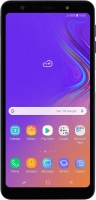
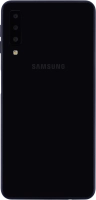
f-767f2e15-be45-4799-b91e-bdfbf2eba1e3
f-e0e79a71-916c-42af-8d07-9ce8362810fc
f-b72b608c-76b0-4a95-83e4-167d8f0cf60b
f-25c68b62-abc3-4d7a-a99c-b53242edd50e
f-ca2f1384-417e-4fbf-8156-f72471499b91
f-34a5f2e4-a970-4640-90d2-f477d913add9
  • Device home
  • Getting started
  • Basic functions
  • Calls, contacts, messaging
  • Connectivity
  • Specifications
  • Device home
  • Getting started
  • Basic functions
  • Calls, contacts, messaging
  • Connectivity
  • Specifications

It's not possible to use my phone as a Wi-Fi hotspot

Solution 1 of 2: The password used on the other device is incorrect


To use your phone as a Wi-Fi hotspot, you need to key in the password you selected when you set up your phone as a Wi-Fi hotspot on the other device.

Check the password for the Wi-Fi hotspot on your phone and key in the correct password on the other device.


Did this solve your problem?

Yes No

Get information on...

Or choose...

Show more