Help
Device guides
Samsung
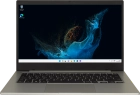
Galaxy Book2 Go 5G

Samsung Galaxy Book2 Go 5G
f-aaf44c8b-6254-4a60-bd85-bda34a97793e
f-5662114d-bbb7-40b1-9a5c-5dfbbcb76d7f
f-2af27aff-39cf-47d5-87b5-cd71ed162056
  • Device home
  • Getting started
  • Basic functions
  • Connectivity
  • Specifications
  • Device home
  • Getting started
  • Basic functions
  • Connectivity
  • Specifications

My laptop's battery life is short

Solution 1 of 4: Automatic app update is turned on

You can update your apps to the latest version automatically or manually.

Click the Microsoft Store icon.
Step 1 of 9

Click the Microsoft Store icon.

Click Library.
Click Library.
Step 2 of 9

Click Library.

Click Update all and wait while your apps are updated.
Step 3 of 9

Click Update all and wait while your apps are updated.

Click the close icon.
Step 4 of 9

Click the close icon.

Click the Microsoft Store icon.
Step 5 of 9

Click the Microsoft Store icon.

Click the profile icon.
Step 6 of 9

Click the profile icon.

Click Settings.
Click Settings.
Step 7 of 9

Click Settings.

Click the indicator next to
Step 8 of 9

Click the indicator next to "Update apps automatically when I'm on WiFi" to turn the function on or off.

Click the close icon to return to the home screen.
Step 9 of 9

Click the close icon to return to the home screen.


Did this solve your problem?

Yes No

Get information on...

Or choose...

Show more