Help
Device guides
Samsung
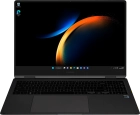
Galaxy Book3 Pro 360 5G

Samsung Galaxy Book3 Pro 360 5G
f-26e0ee7d-71cb-4a00-89b8-b998c396d986
f-55e702ea-e66a-403a-885e-8922abe4c471
f-272df778-b54e-428b-bb40-d3df99d10a27
  • Device home
  • Getting started
  • Basic functions
  • Connectivity
  • Specifications
  • Device home
  • Getting started
  • Basic functions
  • Connectivity
  • Specifications

Adjusting screen brightness

You can adjust the screen brightness to your surroundings.
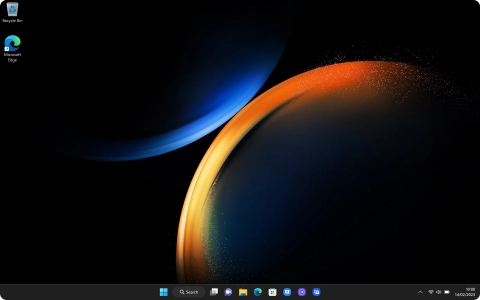
Click the network icon.
Step 1 of 2

Click the network icon.
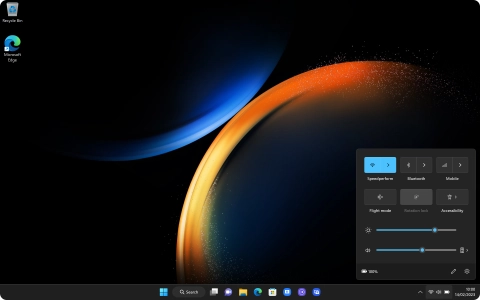
Drag the brightness indicator right or left to set the required brightness level.
Step 2 of 2

Drag the brightness indicator right or left to set the required brightness level.

Get information on...

Or choose...

Show more
