Help
Device guides
Samsung
Galaxy Note20 5G

Samsung Galaxy Note20 5G


f-0ae872b5-d831-42f5-89f9-be76181212c3
f-65e7adcb-25f8-46c9-9ea3-94d1bc20a1aa
f-a4788640-b53b-4319-b40b-3f55f22996dc
f-de32e890-453a-4b10-9176-4a07c53c7572
f-a4e7cf9c-a9cc-45b9-96a8-78c9edbc5d49
f-d27342e7-8e8d-4980-967e-b6f86d1739b1
  • Device home
  • Getting started
  • Basic functions
  • Calls, contacts, messaging
  • Connectivity
  • Specifications
  • Device home
  • Getting started
  • Basic functions
  • Calls, contacts, messaging
  • Connectivity
  • Specifications

Saving voicemail number

You can save your voicemail number making it easy to call and listen to your voice messages.
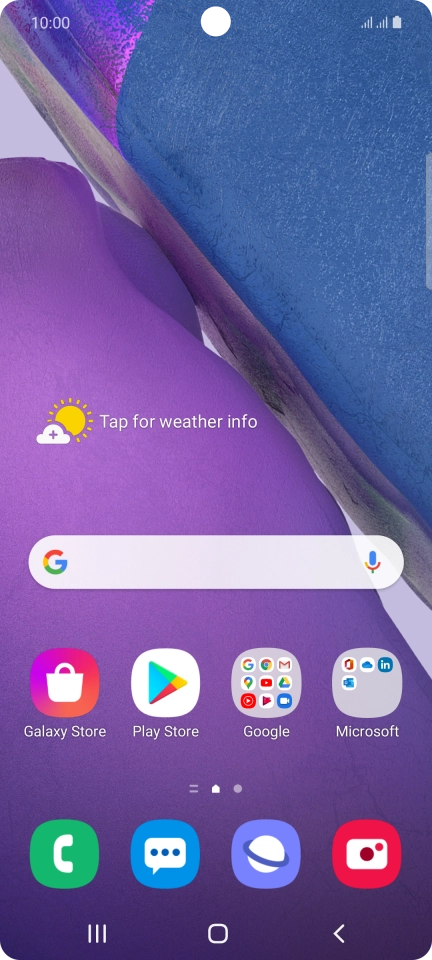
Press the phone icon.
Step 1 of 8

Press the phone icon.

Press the menu icon.
Step 2 of 8

Press the menu icon.

Press Settings.
Press Settings.
Step 3 of 8

Press Settings.

Press Voicemail.
Press Voicemail.
Step 4 of 8

Press Voicemail.

Press Voicemail settings below the required SIM.
Step 5 of 8

Press Voicemail settings below the required SIM.

Press Voicemail number.
Step 6 of 8

Press Voicemail number.

Key in +447953222222 and press OK.
+447953222222
Key in +447953222222 and press OK.
+447953222222
Step 7 of 8

Key in +447953222222 and press OK.

Press the Home key to return to the home screen.
Step 8 of 8

Press the Home key to return to the home screen.

Get information on...

Or choose...

Show more