Help
Device guides
Samsung
Galaxy S21 Ultra

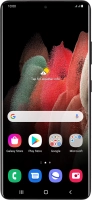
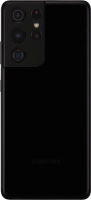
Samsung Galaxy S21 Ultra
f-646f8cbf-50e5-4dfa-aa94-eaa827c9e74f
f-f53045ad-2e18-472d-a60c-38c529b09004
f-748b4cde-3223-4c13-ae3a-63462ca92f0e
f-c32d786b-a427-4c1d-a707-e500a4bc8001
f-6a2cdb09-d6dd-4565-a99b-dff3c3c94109
f-f003af5f-47d0-4096-89bb-2dc1aa89d2c2
  • Device home
  • Getting started
  • Basic functions
  • Calls, contacts, messaging
  • Connectivity
  • Specifications
  • Device home
  • Getting started
  • Basic functions
  • Calls, contacts, messaging
  • Connectivity
  • Specifications

Cancelling all diverts

If you no longer wish to divert your calls, you need to cancel the diverts.

Press the phone icon.
Step 1 of 8

Press the phone icon.

Press the menu icon.
Step 2 of 8

Press the menu icon.

Press Settings.
Press Settings.
Step 3 of 8

Press Settings.

Press Supplementary services.
Step 4 of 8

Press Supplementary services.

Press Call forwarding below the required SIM.
Step 5 of 8

Press Call forwarding below the required SIM.

Press the required divert type.
Step 6 of 8

Press the required divert type.

Press Disable.
Press Disable.
Step 7 of 8

Press Disable.

Press the Home key to return to the home screen.
Step 8 of 8

Press the Home key to return to the home screen.

Get information on...

Or choose...

Show more