




Help
Device guides
Samsung
Galaxy S23

Samsung Galaxy S23

f-5ed58648-62ad-4ecb-b649-59f88a91d3fc
f-5ad75b8f-43c8-48b7-8d65-040d6ba9c6f4
f-98ece27f-40c5-4d97-b222-22429299c0bd
f-40c7f2cc-7dfb-4a6f-9597-617805517bc7
f-9852149b-96cf-4466-aa56-3ad339b6907b
f-f7cdcb5c-e843-4bfe-9078-859ac206ff8e
  • Device home
  • Getting started
  • Basic functions
  • Calls, contacts, messaging
  • Connectivity
  • Specifications
  • Device home
  • Getting started
  • Basic functions
  • Calls, contacts, messaging
  • Connectivity
  • Specifications

Saving voicemail number

You can save your voicemail number making it easy to call and listen to your voice messages.
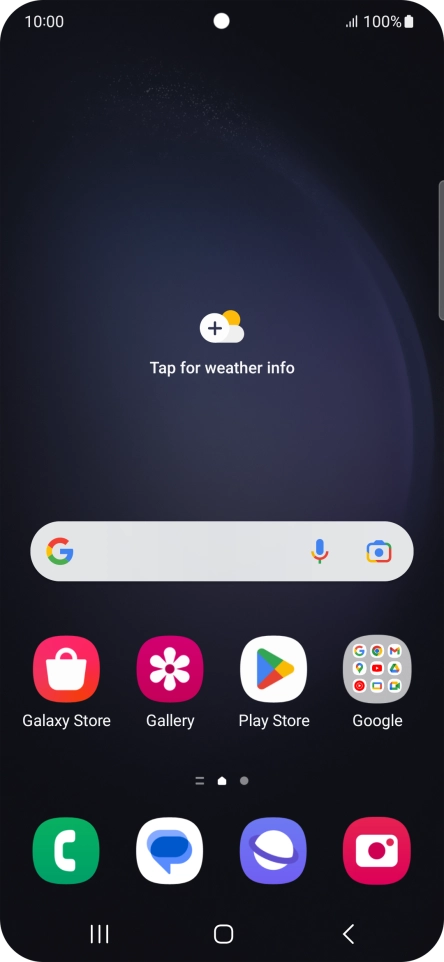
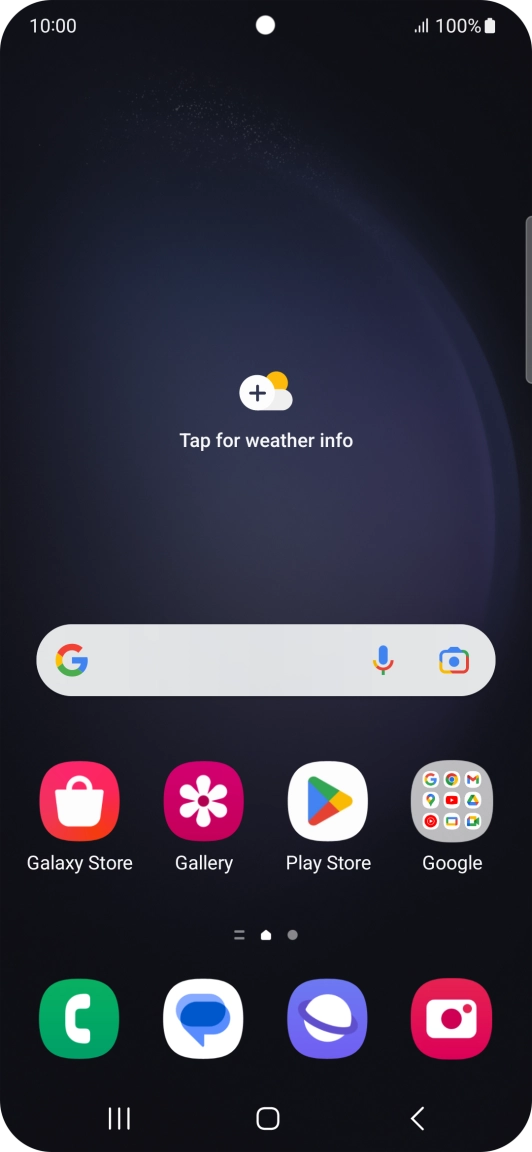
Press the call icon.
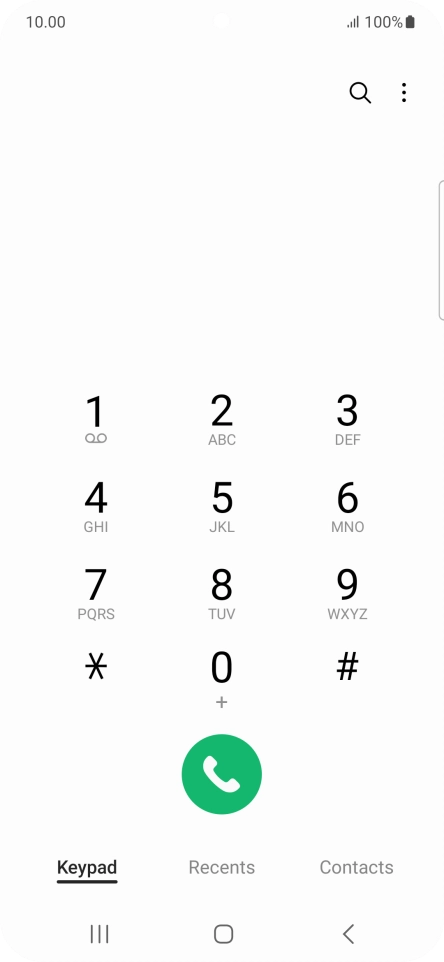
Step 1 of 7

Press the call icon.

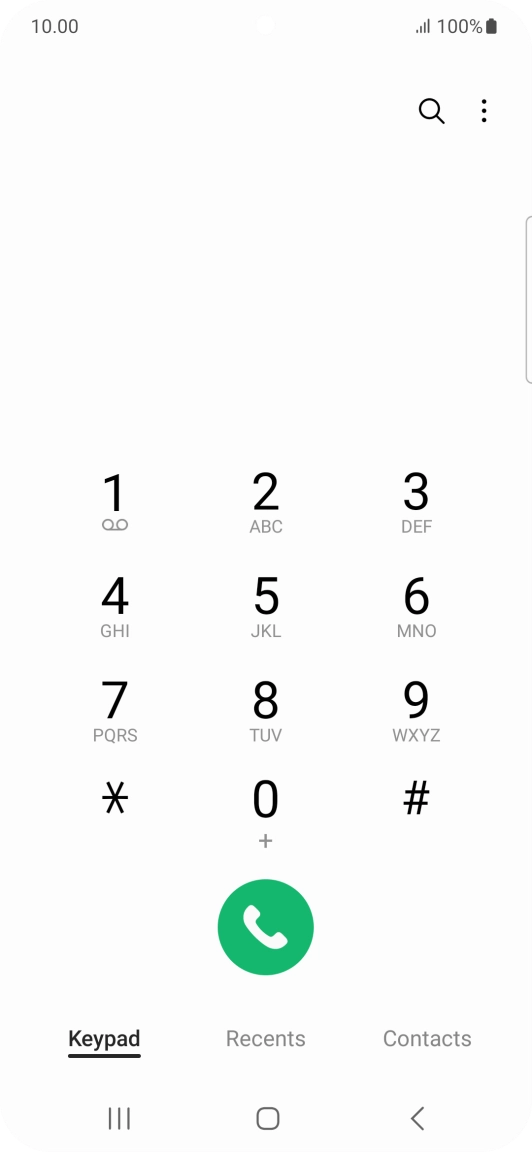
Press the menu icon.
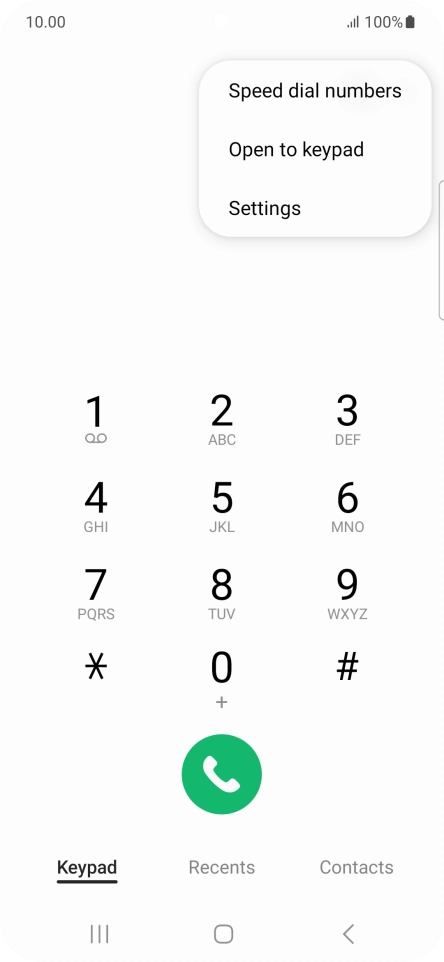
Step 2 of 7

Press the menu icon.

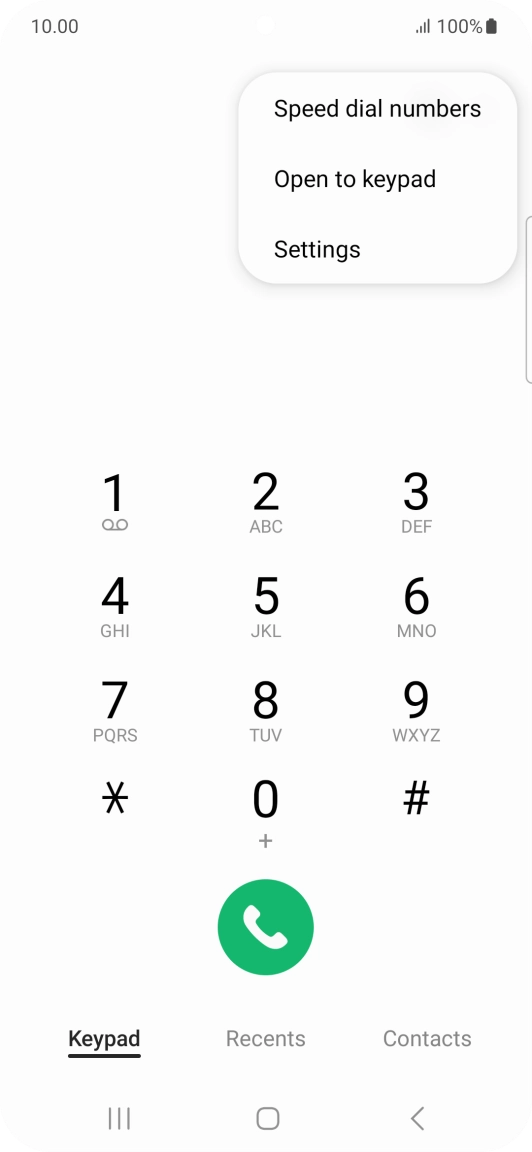
Press Settings.
Press Settings.
Step 3 of 7

Press Settings.

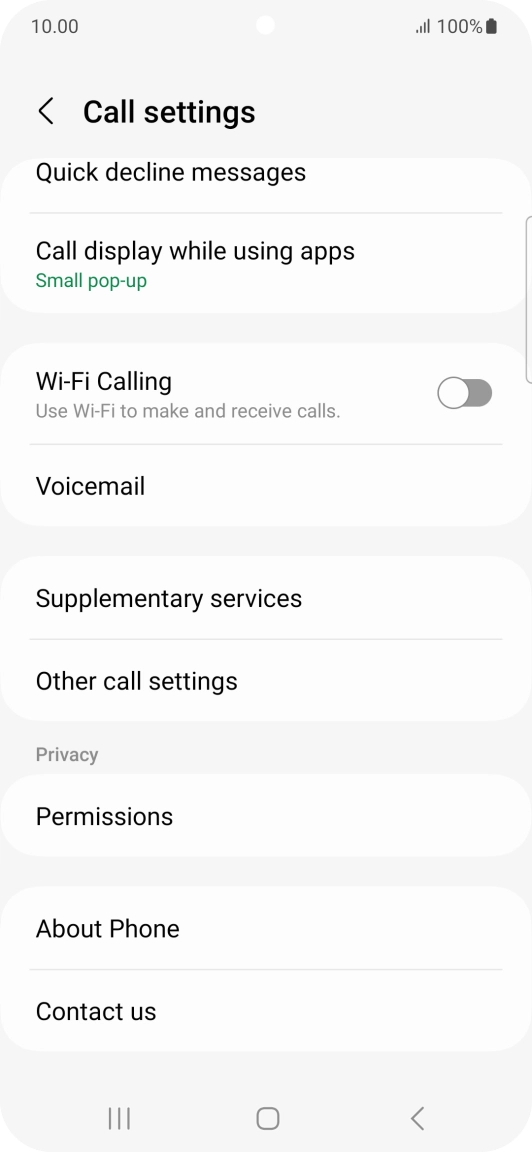
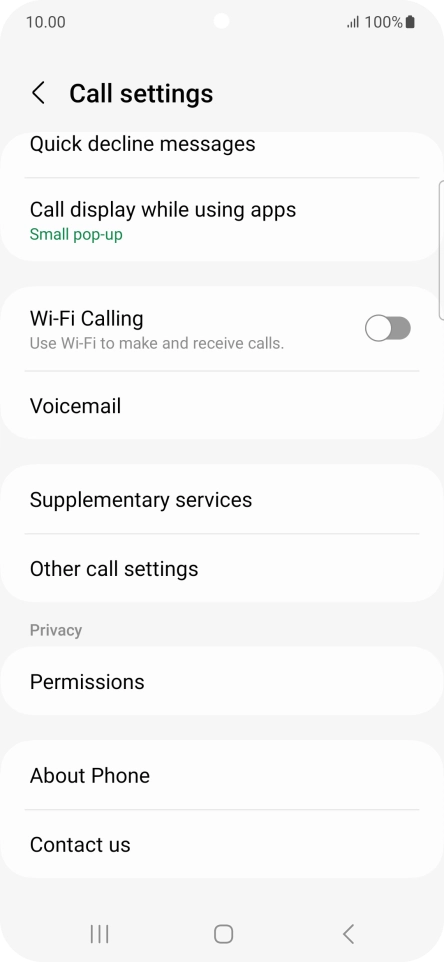
Press Voicemail.
Press Voicemail.
Step 4 of 7

Press Voicemail.

Press Voicemail number.
Step 5 of 7

Press Voicemail number.

Key in +447953222222 and press OK.
+447953222222
Key in +447953222222 and press OK.
+447953222222
Step 6 of 7

Key in +447953222222 and press OK.

Press the Home key to return to the home screen.
Step 7 of 7

Press the Home key to return to the home screen.

Get information on...

Or choose...

Show more