Help
Device guides
Samsung
Galaxy S23 Ultra

Samsung Galaxy S23 Ultra
f-119ea836-bc36-4720-a233-5cd9c3dd1047
f-7828d67e-4ed9-4c89-ad5e-828b90068013
f-a2f12fff-0309-4d61-abf1-ae8b6a27630e
f-7c1f3cb7-12e6-49a2-88c9-bcb1a21c36f8
f-1ee9289d-83f0-4f47-bf44-ba37330b87ee
f-71859950-643c-47ac-bbd9-914dc07a8eda
  • Device home
  • Getting started
  • Basic functions
  • Calls, contacts, messaging
  • Connectivity
  • Specifications
  • Device home
  • Getting started
  • Basic functions
  • Calls, contacts, messaging
  • Connectivity
  • Specifications

It's not possible to check my voicemail

Solution 1 of 6: The voicemail number isn't saved on your phone

You can save your voicemail number making it easy to call and listen to your voice messages.
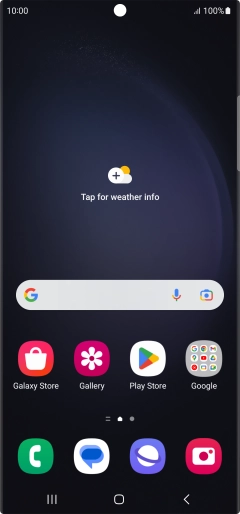
Press the call icon.
Step 1 of 7

Press the call icon.

Press the menu icon.
Step 2 of 7

Press the menu icon.

Press Settings.
Press Settings.
Step 3 of 7

Press Settings.

Press Voicemail.
Press Voicemail.
Step 4 of 7

Press Voicemail.

Press Voicemail number.
Step 5 of 7

Press Voicemail number.

Key in +447953222222 and press OK.
+447953222222
Key in +447953222222 and press OK.
+447953222222
Step 6 of 7

Key in +447953222222 and press OK.

Press the Home key to return to the home screen.
Step 7 of 7

Press the Home key to return to the home screen.


Did this solve your problem?

Yes No

Get information on...

Or choose...

Show more