Help
Device guides
Samsung
Galaxy S24 Ultra

Samsung Galaxy S24 Ultra
f-01961826-dceb-41d4-b5c2-33b461bff33d
f-b274d0e9-eeb1-4ba0-b48b-237d35bace21
f-c3c16a6f-3267-418b-b8d8-b72d75af797a
f-f7ebff1a-c51e-4a98-aac2-ea8f5764a315
f-79766f2e-ae38-4008-aa2c-ce8e6b888adf
f-e871ec49-fa44-4e3e-9a05-28273e553675
f-eef3b6f4-5503-42a0-83d3-c1e015c4d4e9
f-3c619efa-f3e4-4955-90c2-07dfc53ba772
  • Device home
  • Getting started
  • Basic functions
  • Calls, contacts, messaging
  • Connectivity
  • Specifications
  • Device home
  • Getting started
  • Basic functions
  • Calls, contacts, messaging
  • Connectivity
  • Specifications

Saving voicemail number

You can save your voicemail number making it easy to call and listen to your voice messages.
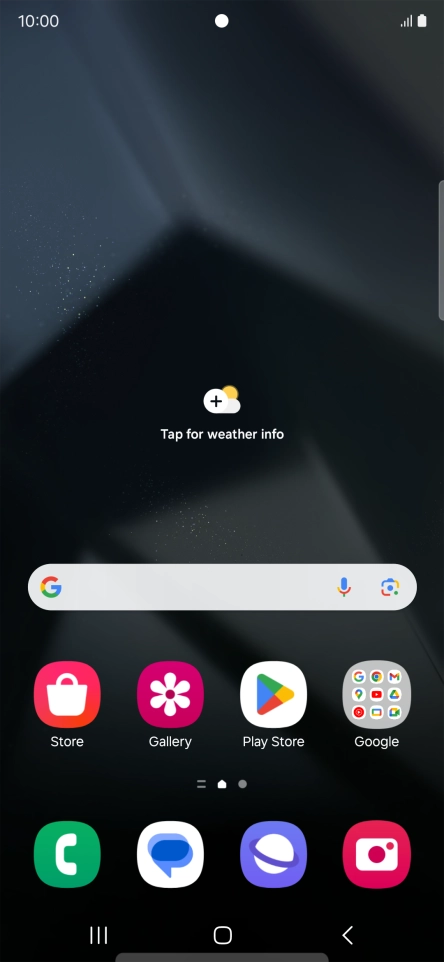
Press the call icon.
Step 1 of 7

Press the call icon.

Press the menu icon.
Step 2 of 7

Press the menu icon.

Press Settings.
Press Settings.
Step 3 of 7

Press Settings.

Press Voicemail.
Press Voicemail.
Step 4 of 7

Press Voicemail.

Press Voicemail number.
Step 5 of 7

Press Voicemail number.

Key in +447953222222 and press OK.
+447953222222
Key in +447953222222 and press OK.
+447953222222
Step 6 of 7

Key in +447953222222 and press OK.

Press the Home key to return to the home screen.
Step 7 of 7

Press the Home key to return to the home screen.

Get information on...

Or choose...

Show more