Help
Device guides
Samsung
Galaxy S25 Ultra

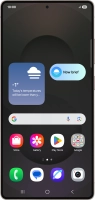
Samsung Galaxy S25 Ultra
f-12304bfe-775f-4484-9884-117179cf2526
f-bc4167b2-cced-43f3-b104-0a24a0655fb6
f-2925e249-1299-42f2-95fc-9e6c0888015a
f-589ed901-16a2-42a9-be93-87a965f5e072
f-fbb1d2de-e7e0-4a6a-a81f-ac1124e128e9
f-c91256d9-9637-4233-af6a-865fc671b375
  • Device home
  • Getting started
  • Basic functions
  • Calls, contacts, messaging
  • Connectivity
  • Specifications
  • Device home
  • Getting started
  • Basic functions
  • Calls, contacts, messaging
  • Connectivity
  • Specifications

It's not possible to use Wi-Fi

Solution 3 of 4: Your phone is connected to a Wi-Fi network, but you're not logged on


Some Wi-Fi networks require you to log on via a web page.

Open the internet browser on your phone and try to load a web page. The internet browser is redirected to the homepage of the Wi-Fi network. Follow the instructions on the screen to log on to the Wi-Fi network.


Did this solve your problem?

Yes No

Get information on...

Or choose...

Show more