Help
Device guides
Samsung
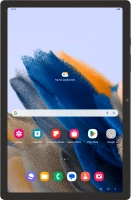
Galaxy Tab A8

Samsung Galaxy Tab A8
f-491986ed-d7d5-4c04-a2a5-67a7ef463341
f-c046b525-7d09-450c-a9f0-b2fb94cb5f88
f-f53d6fa0-8aae-4ac9-a092-06e2c673fb94
f-86b06000-90b0-49a5-9347-1cb548725024
f-e1f25745-b58c-4bdd-acb9-c9a3b50b39ea
f-45c45408-77d4-4fbd-941c-1a448a5f587e
  • Device home
  • Getting started
  • Basic functions
  • Calls, contacts, messaging
  • Connectivity
  • Specifications
  • Device home
  • Getting started
  • Basic functions
  • Calls, contacts, messaging
  • Connectivity
  • Specifications

I can't use my tablet as a Wi-Fi hotspot

Solution 1 of 2: The password used on the other device is incorrect


To use your tablet as a Wi-Fi hotspot, you need to key in the password you selected when you set up your tablet as a Wi-Fi hotspot on the other device.

Check the password for the Wi-Fi hotspot on your tablet and key in the correct password on the other device.


Did this solve your problem?

Yes No

Get information on...

Or choose...

Show more