Help
Device guides
Samsung
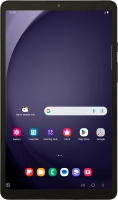
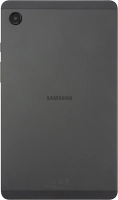
Galaxy Tab A9

Samsung Galaxy Tab A9
f-d1d3ae7e-9518-4fbc-a632-ec61e6a43aaa
f-71e3e1a7-63a2-4558-96a3-ded4216a4e18
f-74aaaead-f55e-4c92-bfb6-f98ee5566c0f
f-06ad923b-4ea7-4c02-8d59-e502229380a5
f-a3c16ce0-9614-493b-8c94-db23a0a552e6
f-91da8762-0630-453e-b1d5-76b64998abc5
f-00491c0c-b865-4ffe-801c-a0e42c54728c
f-1b97c5b4-6a3e-482f-b022-ce095acaf259
  • Device home
  • Getting started
  • Basic functions
  • Calls, contacts, messaging
  • Connectivity
  • Specifications
  • Device home
  • Getting started
  • Basic functions
  • Calls, contacts, messaging
  • Connectivity
  • Specifications

It's not possible to start my tablet

Solution 2 of 6: Your SIM has been permanently blocked


If your SIM has been permanently blocked, you'll need a new SIM.

Call customer services on 150 (from an EE device) or 07953 966 250 (from other devices) to have a new SIM sent to you. You can also visit your nearest EE store to order a new SIM. Remember to bring valid picture ID.


Did this solve your problem?

Yes No

Get information on...

Or choose...

Show more