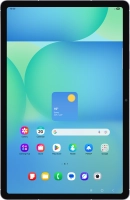
Samsung Galaxy Tab S10 FE 5G



Activating your tablet
You need to activate your tablet before using it for the first time and after a factory reset. To use mobile network services on your tablet, you need to insert your SIM into your tablet.

Press the Side key.


If your SIM is locked, key in your PIN and press OK. The default PIN is 1111.


Press Start.


Press the required language.
Press Next.


Press the fields next to the required settings to select them.


Press Next.


Press the required setting and follow the instructions on the screen to transfer content from another device or press Set up manually.


If there are no available Wi-Fi networks, you can use the mobile network instead.
Press the required Wi-Fi network.


If there are no available Wi-Fi networks, you can use the mobile network instead. If there are no available Wi-Fi networks, you can use the mobile network instead.
Key in the password for the Wi-Fi network and press Connect.


If there are no available Wi-Fi networks, you can use the mobile network instead.
Press Next.


You can also transfer content from another tablet or restore the content of a Google One backup. You can also transfer content from another tablet or restore the content of a Google One backup.
Press Don't copy and follow the instructions on the screen to finish the activation.