Help
Device guides
Samsung
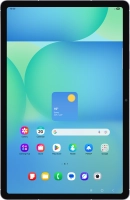
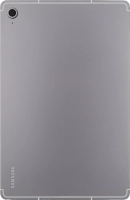
Galaxy Tab S10 FE 5G

Samsung Galaxy Tab S10 FE 5G
f-80354090-1ced-4092-9af2-ba99849b6082
f-ffeb9704-38fd-4403-ba3d-99f3adee2f4c
f-565b37ac-75ca-4ec1-b76e-bf06eb8c070a
f-570265c7-22a0-48ce-a3c1-3f1a8625b6a7
f-721d1abc-6aa7-48d0-b86f-c7c4c37af815
f-800b86c6-5ed1-40fb-b086-94736617bb2f
  • Device home
  • Getting started
  • Basic functions
  • Calls, contacts, messaging
  • Connectivity
  • Specifications
  • Device home
  • Getting started
  • Basic functions
  • Calls, contacts, messaging
  • Connectivity
  • Specifications

It's not possible to start my tablet

Solution 1 of 6: Your SIM is faulty


You can check if your SIM is faulty by inserting it in another device.

Call customer services on 150 (from an EE device) or 07953 966 250 (from other devices) to have a new SIM sent to you. You can also visit your nearest EE store to order a new SIM. Remember to bring valid picture ID.


Did this solve your problem?

Yes No

Get information on...

Or choose...

Show more