Help
Device guides
Samsung
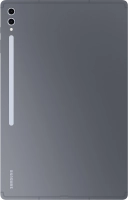
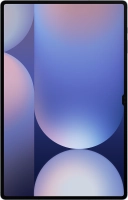
Galaxy Tab S10 Ultra

Samsung Galaxy Tab S10 Ultra
f-3523e271-733c-4ee7-82a5-34607f05ad9d
f-d7286afe-52c3-4479-9d83-c17368791e4c
f-93c1a2fd-b67e-4b3a-99d2-db4a9d65713e
f-b28609f1-c877-4652-b287-5ff7eead2f65
f-61a8ef15-087c-4dcc-9889-45d00c8ae33c
f-94d6c16d-6b13-4662-84d6-9a4c7b412435
f-3d3bf339-1435-44a6-9f92-94b638f7ac8e
f-1d449163-102c-46aa-84a5-3469b54a5604
  • Device home
  • Getting started
  • Basic functions
  • Calls, contacts, messaging
  • Connectivity
  • Specifications
  • Device home
  • Getting started
  • Basic functions
  • Calls, contacts, messaging
  • Connectivity
  • Specifications

It's not possible to use Wi-Fi

Solution 3 of 4: Your tablet is connected to a Wi-Fi network, but you're not logged on


Some Wi-Fi networks require you to log on via a web page.

Open the internet browser on your tablet and try to load a web page. The internet browser is redirected to the homepage of the Wi-Fi network. Follow the instructions on the screen to log on to the Wi-Fi network.


Did this solve your problem?

Yes No

Get information on...

Or choose...

Show more