Help
Device guides
Samsung
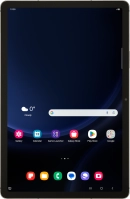
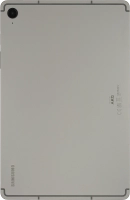
Galaxy Tab S9 FE 5G

Samsung Galaxy Tab S9 FE 5G
f-99de96aa-6eb6-46c6-bc10-11c7639cee4b
f-5bd7fedc-beb8-442b-ba20-b947f7d3ea52
f-dca2de0b-9c2d-41ac-92a7-acf02e0248c8
f-197be1de-e98d-463b-a1e4-d98ee19813b6
f-eaf3bd65-535e-4815-9656-873d1cec1fe1
f-c8ff9bc6-f897-4963-9d94-66fb853d34fc
f-59cc4fda-5ce2-4ba5-b11f-01278fab81d2
f-ff6e2859-5cd3-4ab1-93ea-af54a524e5ef
  • Device home
  • Getting started
  • Basic functions
  • Calls, contacts, messaging
  • Connectivity
  • Specifications
  • Device home
  • Getting started
  • Basic functions
  • Calls, contacts, messaging
  • Connectivity
  • Specifications

Troubleshooting

  • It's not possible to receive messages on my voicemail
  • It's not possible to check my voicemail
  • It's not possible to send and receive text messages
  • It's not possible to send and receive picture messages
  • It's not possible to send and receive email messages
  • It's not possible to make voice calls
  • It's not possible to receive voice calls

Call settings

  • Turning call waiting on or off
  • Turning your own caller identification on or off
  • Turning Wi-Fi calling on or off

Contacts

  • Saving new contact to your Google account
  • Copying contacts between your SIM and your Google account

Voicemail

  • Saving voicemail number
  • Diverting calls to voicemail
  • Cancelling all diverts

Call restrictions

  • Turning call barring on or off
  • Turning fixed dialling on or off

Text messaging

  • Setting up your tablet for text messaging

Picture messaging

  • Setting up your tablet for picture messaging

Email messaging

  • Setting up your tablet for IMAP email

Get information on...

Or choose...

Show more