Help
Device guides
Samsung
Galaxy Tab S9 Ultra

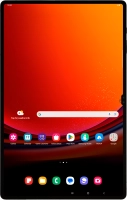
Samsung Galaxy Tab S9 Ultra
f-95da0bc4-0e61-492d-a0f3-d4b64dad9ce7
f-8cf27981-8760-4071-b3db-00d1fbb04e0c
f-045bf405-afeb-46ed-9ffb-b0050a640079
f-aaf2ed0b-8c3a-4262-952c-af8045d06c3b
f-0c8aebda-7728-4054-ad23-e275fcdd9906
f-da990b20-41ef-41ab-8076-5902fd4b48b8
  • Device home
  • Getting started
  • Basic functions
  • Calls, contacts, messaging
  • Connectivity
  • Specifications
  • Device home
  • Getting started
  • Basic functions
  • Calls, contacts, messaging
  • Connectivity
  • Specifications

It's not possible to receive messages on my voicemail

Solution 3 of 3: Incoming calls aren't diverted to your voicemail

To receive voice messages, you need to divert your calls to your voicemail.
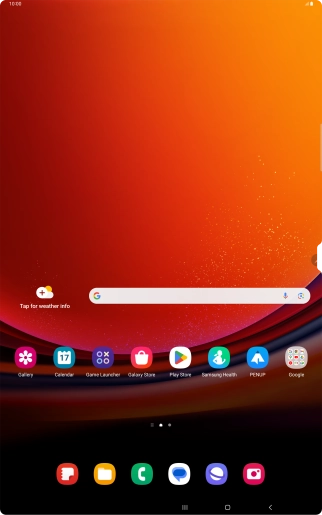
Press the call icon.
Step 1 of 8

Press the call icon.

Press the menu icon.
Step 2 of 8

Press the menu icon.

Press Settings.
Press Settings.
Step 3 of 8

Press Settings.

Press Supplementary services.
Step 4 of 8

Press Supplementary services.

Press Call forwarding.
Step 5 of 8

Press Call forwarding.

Press the required divert type.
Step 6 of 8

Press the required divert type.

Key in +447953222222 and press Enable.
+447953222222
Key in +447953222222 and press Enable.
+447953222222
Step 7 of 8

Key in +447953222222 and press Enable.

Press the Home key to return to the home screen.
Step 8 of 8

Press the Home key to return to the home screen.


Did this solve your problem?

Yes No

Get information on...

Or choose...

Show more