Help
Device guides
Samsung
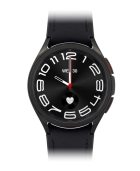
Galaxy Watch 6 Classic

Samsung Galaxy Watch 6 Classic
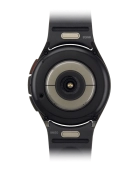
f-05d42bb8-e715-4f0f-a76d-6fdea811cea5
f-1d369980-72b4-4fbc-8f93-f82f443e25ba
f-c8c61afe-d3b0-46e5-b967-eb5879c52be7
f-6bc45a40-ed6e-441e-b39c-0b34d3a5892d
f-5959afe8-f217-4f2c-b861-cedfcbbed87c
  • Device home
  • Getting started
  • Basic functions
  • Calls, contacts, messaging
  • Connectivity
  • Specifications
  • Device home
  • Getting started
  • Basic functions
  • Calls, contacts, messaging
  • Connectivity
  • Specifications

I can't play music

Solution 2 of 5: The headset isn't working

Bluetooth is a wireless connection which is used to connect to your phone. You can also use Bluetooth to establish a connection to e.g. a wireless headset.
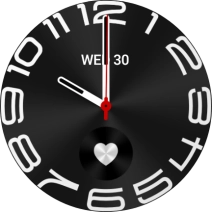
Slide your finger upwards starting from the bottom of the screen.
Step 1 of 7

Slide your finger upwards starting from the bottom of the screen.

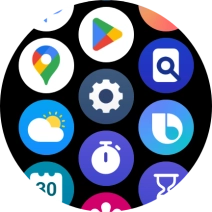
Press the settings icon.
Step 2 of 7

Press the settings icon.

Press Connections.
Press Connections.
Step 3 of 7

Press Connections.

Press Bluetooth.
Press Bluetooth.
Step 4 of 7

Press Bluetooth.

Press the indicator below
Step 5 of 7

Press the indicator below "Bluetooth" to turn on the function.

Press the required device.
Step 6 of 7

Press the required device.

Press the Home key to return to the home screen.
Step 7 of 7

Press the Home key to return to the home screen.


Did this solve your problem?

Yes No

Get information on...

Or choose...

Show more