Help
Device guides
Samsung
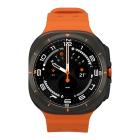
Galaxy Watch Ultra

Samsung Galaxy Watch Ultra
f-15049f51-2f65-4bb8-9c08-cc9eed090a9c
f-d1546d68-8945-44bb-a5ff-e7871d36b785
f-d9fda8ce-739e-4e93-95f6-25f3d18da951
f-b7d68e09-d1a1-4f3e-97ed-468745e02ced
f-65697b41-5e6f-43f5-94af-23357e7e4393
  • Device home
  • Getting started
  • Basic functions
  • Calls, contacts, messaging
  • Connectivity
  • Specifications
  • Device home
  • Getting started
  • Basic functions
  • Calls, contacts, messaging
  • Connectivity
  • Specifications

The battery life of my smartwatch is short

Solution 1 of 5: Bluetooth is turned on

Bluetooth is a wireless connection which can be used to connect to, e.g., a wireless headset.

Slide your finger upwards starting from the bottom of the screen.
Step 1 of 6

Slide your finger upwards starting from the bottom of the screen.

Press the settings icon.
Step 2 of 6

Press the settings icon.

Press Connections.
Press Connections.
Step 3 of 6

Press Connections.

Press Bluetooth.
Press Bluetooth.
Step 4 of 6

Press Bluetooth.

Press the indicator below
Step 5 of 6

Press the indicator below "Bluetooth" to turn the function on or off.

Press the Home key to return to the home screen.
Step 6 of 6

Press the Home key to return to the home screen.


Did this solve your problem?

Yes No

Get information on...

Or choose...

Show more