Help
Device guides
Samsung
Galaxy Watch Ultra2

Samsung Galaxy Watch Ultra2
f-1c46df4f-4ba6-4978-8978-ad6c28f3a161
f-3f046cc9-1ab3-4f59-9f34-d02f877648b8
f-40e668aa-88e6-4a97-ab8c-486da68c7244
f-bc4ad4f2-a2ce-4840-b1ed-53ac95f7d187
f-092fcb82-311a-4848-b25f-1288e4302356
f-1c6890b3-719f-40af-bea2-35c66d0d93b0
f-571e6a84-38ae-4770-b7e9-ae2232818a99
  • Device home
  • Getting started
  • Basic functions
  • Calls, contacts, messaging
  • Connectivity
  • Specifications
  • Device home
  • Getting started
  • Basic functions
  • Calls, contacts, messaging
  • Connectivity
  • Specifications

Finding your phone

If you can't find your phone, you can send a signal to it from your smartwatch.
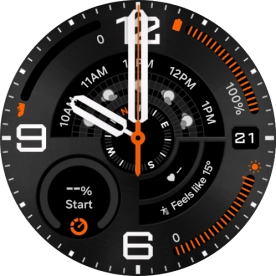
Slide your finger downwards starting from the top of the screen.
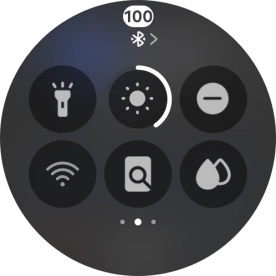
Step 1 of 4

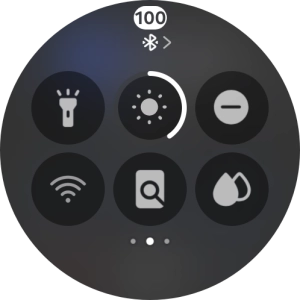
Slide your finger downwards starting from the top of the screen.

Press the find my phone icon to send a signal to your phone.
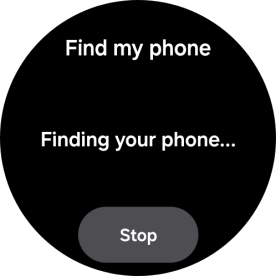
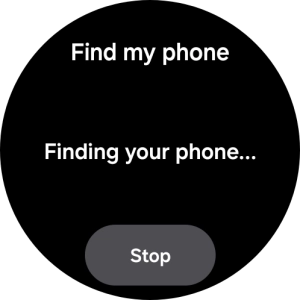
Step 2 of 4

Press the find my phone icon to send a signal to your phone.

Press Stop when you've found your phone.
Step 3 of 4

Press Stop when you've found your phone.

Slide your finger upwards starting from the bottom of the screen to return to the home screen.
Step 4 of 4

Slide your finger upwards starting from the bottom of the screen to return to the home screen.

Get information on...

Or choose...

Show more