Help
Device guides
Samsung
Galaxy Watch4 Classic

Samsung Galaxy Watch4 Classic
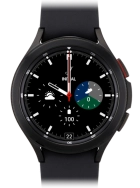
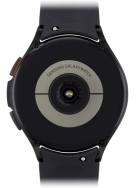
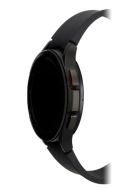
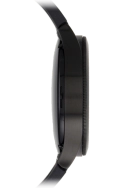
f-64402d11-2e9c-4f97-a328-4bca9ca62212
f-2c976941-f0ea-45f6-a44c-dacfe7b1e16a
f-a274d317-9521-4e76-a1eb-7af9b10356b9
f-af8a0036-aa48-4851-93ee-362e30d714f5
f-c266fbf7-6048-476b-8c5e-828285644930
  • Device home
  • Getting started
  • Basic functions
  • Calls, contacts, messaging
  • Connectivity
  • Specifications
  • Device home
  • Getting started
  • Basic functions
  • Calls, contacts, messaging
  • Connectivity
  • Specifications

Troubleshooting

  • I can't install an app
  • I can't use one of my apps
  • I can't play music
  • My smartwatch doesn't respond
  • My smartwatch is slow
  • The battery life of my smartwatch is short
  • No ring tone is heard on incoming calls
  • My smartwatch doesn't register my activity
  • I can't update the software on my smartwatch
  • No message tone is heard on incoming messages
  • I don't receive notifications on my smartwatch

Sound and screen settings

  • Personalising the home screen on your smartwatch
  • Turning Do Not Disturb on or off

Security settings

  • Turning use of lock code on or off

Apps

  • Installing apps from Google Play
  • Using music player
  • Using Samsung Health

Software update

  • Restoring factory default settings

Get information on...

Or choose...

Show more