Help
Device guides
Samsung
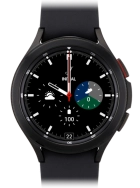
Galaxy Watch4 Classic

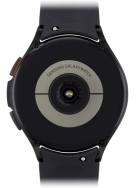
Samsung Galaxy Watch4 Classic
f-64402d11-2e9c-4f97-a328-4bca9ca62212
f-2c976941-f0ea-45f6-a44c-dacfe7b1e16a
f-a274d317-9521-4e76-a1eb-7af9b10356b9
f-af8a0036-aa48-4851-93ee-362e30d714f5
f-c266fbf7-6048-476b-8c5e-828285644930
  • Device home
  • Getting started
  • Basic functions
  • Calls, contacts, messaging
  • Connectivity
  • Specifications
  • Device home
  • Getting started
  • Basic functions
  • Calls, contacts, messaging
  • Connectivity
  • Specifications

I can't play music

Solution 2 of 5: The headset isn't working

Bluetooth is a wireless connection which is used to connect to your phone. You can also use Bluetooth to establish a connection to e.g. a wireless headset.
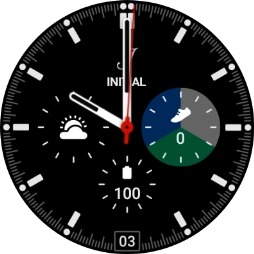
Slide your finger upwards starting from the bottom of the screen.
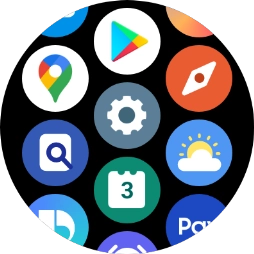
Step 1 of 7

Slide your finger upwards starting from the bottom of the screen.

Press the settings icon.
Step 2 of 7

Press the settings icon.

Press Connections.
Press Connections.
Step 3 of 7

Press Connections.

Press Bluetooth.
Press Bluetooth.
Step 4 of 7

Press Bluetooth.

Press the indicator below
Step 5 of 7

Press the indicator below "Bluetooth" to turn on the function.

Press the required device.
Step 6 of 7

Press the required device.

Press the Home key to return to the home screen.
Step 7 of 7

Press the Home key to return to the home screen.


Did this solve your problem?

Yes No

Get information on...

Or choose...

Show more