Help
Device guides
Samsung
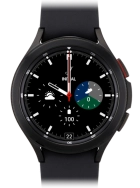
Galaxy Watch4 Classic

Samsung Galaxy Watch4 Classic

f-64402d11-2e9c-4f97-a328-4bca9ca62212
f-2c976941-f0ea-45f6-a44c-dacfe7b1e16a
f-a274d317-9521-4e76-a1eb-7af9b10356b9
f-af8a0036-aa48-4851-93ee-362e30d714f5
f-c266fbf7-6048-476b-8c5e-828285644930
  • Device home
  • Getting started
  • Basic functions
  • Calls, contacts, messaging
  • Connectivity
  • Specifications
  • Device home
  • Getting started
  • Basic functions
  • Calls, contacts, messaging
  • Connectivity
  • Specifications

I can't turn on my smartwatch

Solution 1 of 3: The battery is flat

You should charge the smartwatch battery regularly to ensure that your smartwatch is always ready for use.

Connect the charger to a wall socket.
Step 1 of 3

Connect the charger to a wall socket.

Place the back of your smartwatch on the magnetic charger allowing it to click into place.
Step 2 of 3

Place the back of your smartwatch on the magnetic charger allowing it to click into place.

When the battery charging icon is displayed, charging is in progress.
Step 3 of 3

When the battery charging icon is displayed, charging is in progress.


Did this solve your problem?

Yes No

Get information on...

Or choose...

Show more