Help
Device guides
Samsung
Galaxy Watch7

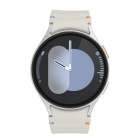
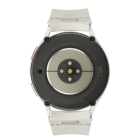
Samsung Galaxy Watch7
f-c1901bed-d079-43a9-849b-a1e47b759a5c
f-b202fd47-06ce-4211-abc6-aa47dd50b693
f-24c1c8f7-de8b-4d34-ab86-36647da4eeed
f-accc5b55-2a84-476a-b71b-c93bc92f5251
f-6a7f21a8-9a7c-4e91-b072-f23ef48519a8
f-a386ce93-f106-442e-9b97-0cbe8838cb6e
f-e55cfd38-3d9e-4c18-b413-f97d24f48ae6
  • Device home
  • Getting started
  • Basic functions
  • Calls, contacts, messaging
  • Connectivity
  • Specifications
  • Device home
  • Getting started
  • Basic functions
  • Calls, contacts, messaging
  • Connectivity
  • Specifications

Use SOS function

You can use the SOS function on your smartwatch to start an alarm signal and automatically call and send an SOS message to your SOS contacts.

Press the Home key 5 times to make an emergency call. If you’ve set up emergency contacts and turned on sharing of information with emergency contacts, your emergency contacts will receive an SOS message with your location while dialling the selected emergency number.
Step 1 of 1

Press the Home key 5 times to make an emergency call. If you’ve set up emergency contacts and turned on sharing of information with emergency contacts, your emergency contacts will receive an SOS message with your location while dialling the selected emergency number.

See how to select SOS function settings.

Get information on...

Or choose...

Show more