Help
Device guides
Samsung
Galaxy Watch7

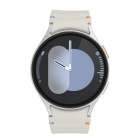
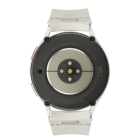
Samsung Galaxy Watch7
f-c1901bed-d079-43a9-849b-a1e47b759a5c
f-b202fd47-06ce-4211-abc6-aa47dd50b693
f-24c1c8f7-de8b-4d34-ab86-36647da4eeed
f-accc5b55-2a84-476a-b71b-c93bc92f5251
f-6a7f21a8-9a7c-4e91-b072-f23ef48519a8
f-a386ce93-f106-442e-9b97-0cbe8838cb6e
f-e55cfd38-3d9e-4c18-b413-f97d24f48ae6
  • Device home
  • Getting started
  • Basic functions
  • Calls, contacts, messaging
  • Connectivity
  • Specifications
  • Device home
  • Getting started
  • Basic functions
  • Calls, contacts, messaging
  • Connectivity
  • Specifications

Answering a call

When you receive a call, you can either answer the call or silence the incoming call alert.

Press the accept call icon and slide your finger upwards to answer the call.
Step 1 of 2

Press the accept call icon and slide your finger upwards to answer the call.

Press the end call icon.
Step 2 of 2

Press the end call icon.

Get information on...

Or choose...

Show more