Help
Device guides
Samsung
Galaxy Watch9

Samsung Galaxy Watch9
f-70d6b283-0e9f-4277-b28d-595865fc374e
f-21e458ba-538a-492e-bb41-9cbf269fd36a
f-2bffae95-c140-43d6-9349-c43998bedc76
f-55b13b40-3124-4ca0-9cb6-2c287f03a7fc
f-5bb6a698-0615-4011-acbe-55cf2df1a858
f-a84e2034-fce4-4e1e-82a9-29b136b4a536
f-d3e7252b-1e37-4cc0-9203-b23c16875a32
  • Device home
  • Getting started
  • Basic functions
  • Calls, contacts, messaging
  • Connectivity
  • Specifications
  • Device home
  • Getting started
  • Basic functions
  • Calls, contacts, messaging
  • Connectivity
  • Specifications

I can't install an app

Solution 2 of 3: The selected app isn't available in your country

You can add new functions to your smartwatch by installing apps from Galaxy Apps.
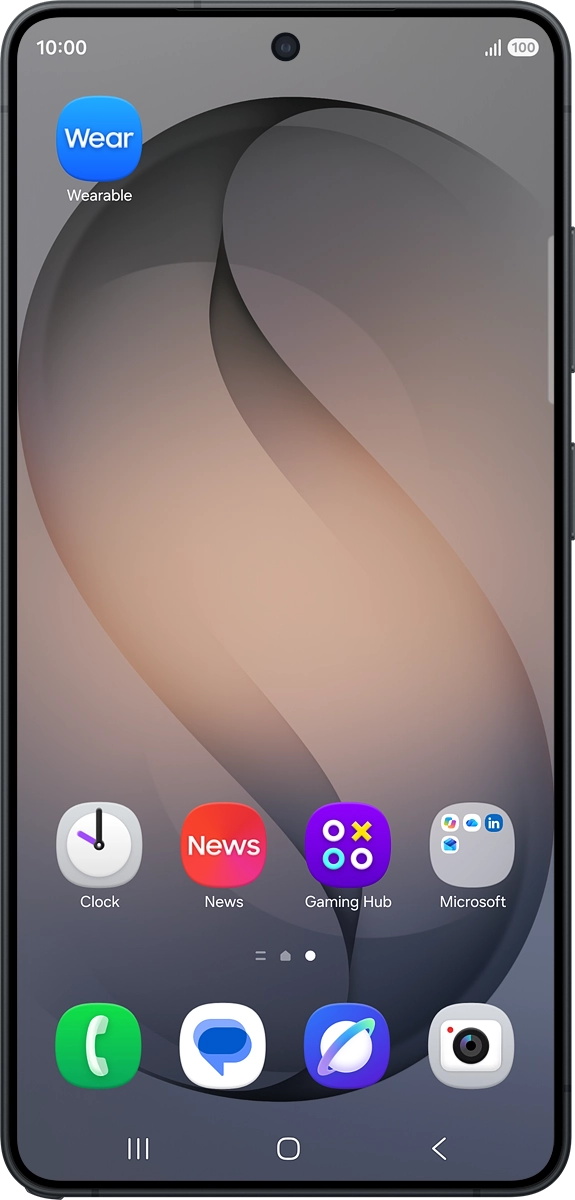
On your phone: Press Wearable.
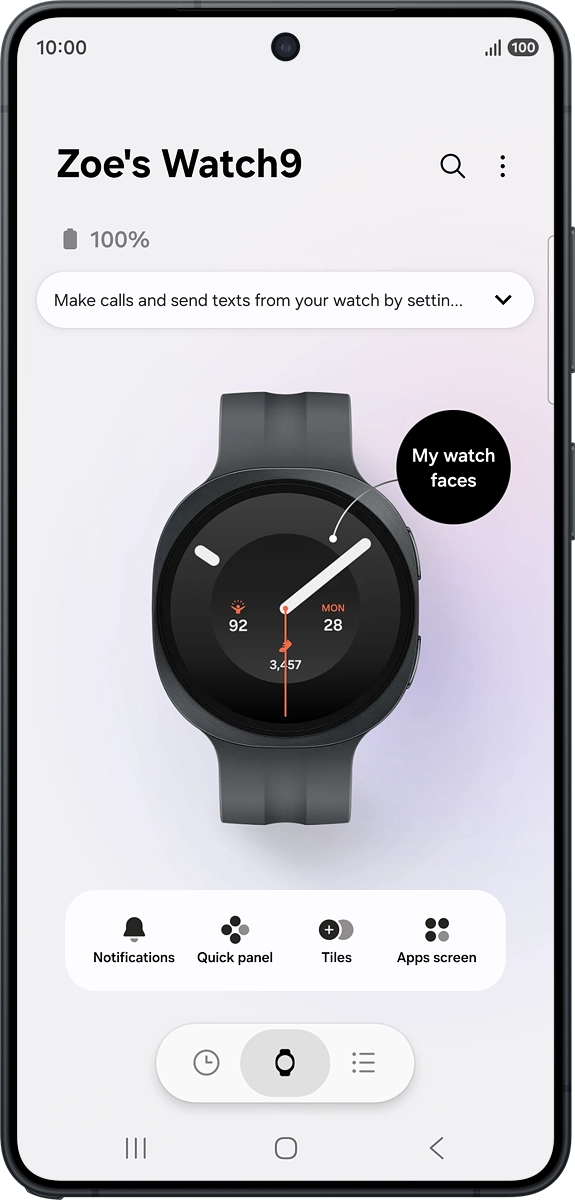
Step 1 of 10

On your phone: Press Wearable.

On your phone: Press the menu list icon.
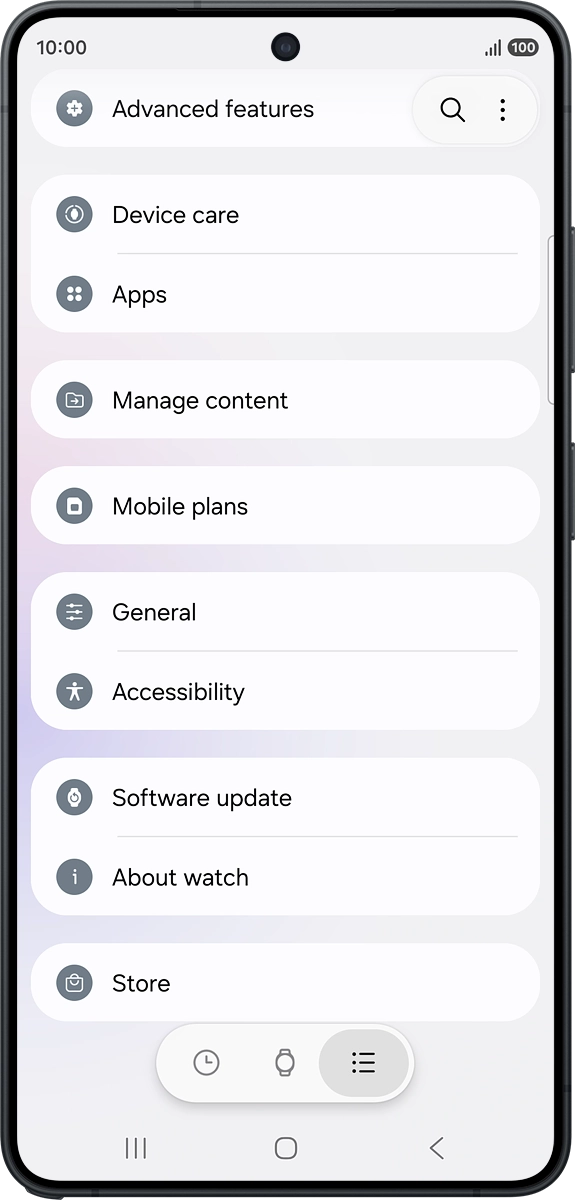
Step 2 of 10

On your phone: Press the menu list icon.

On your phone: Press Store.
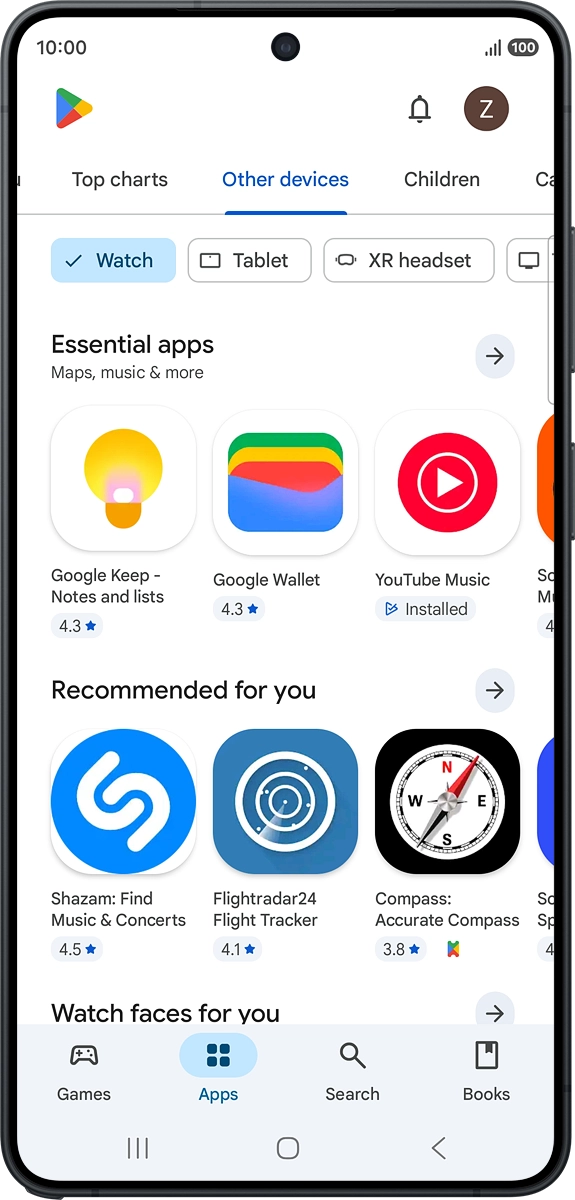
Step 3 of 10

On your phone: Press Store.

On your phone: Press Search.
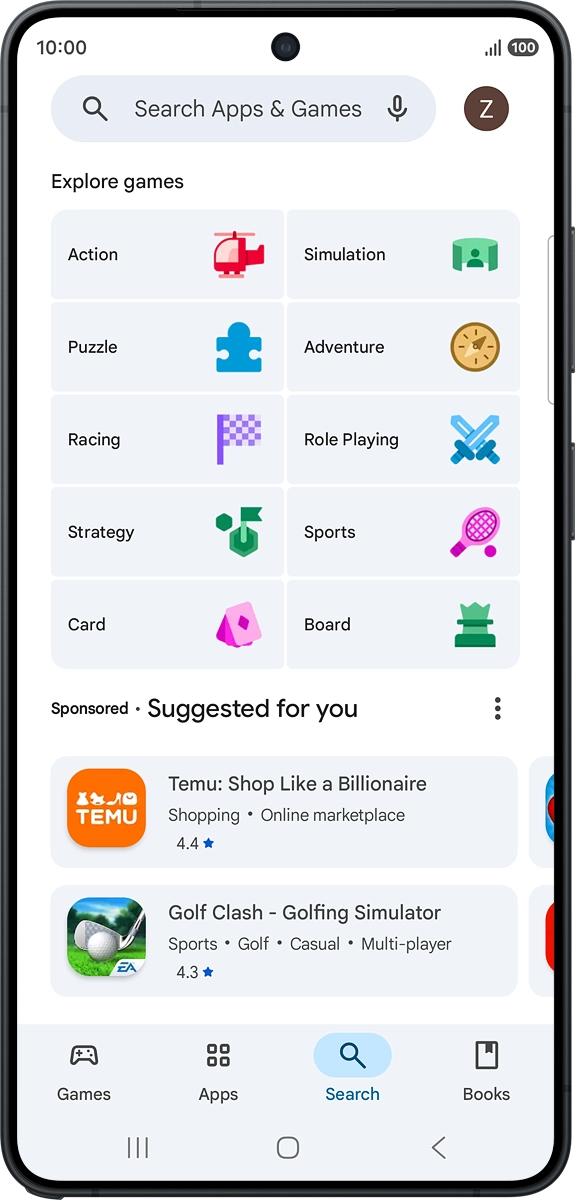
Step 4 of 10

On your phone: Press Search.

On your phone: Press the search field and key in the name or subject of the required app.
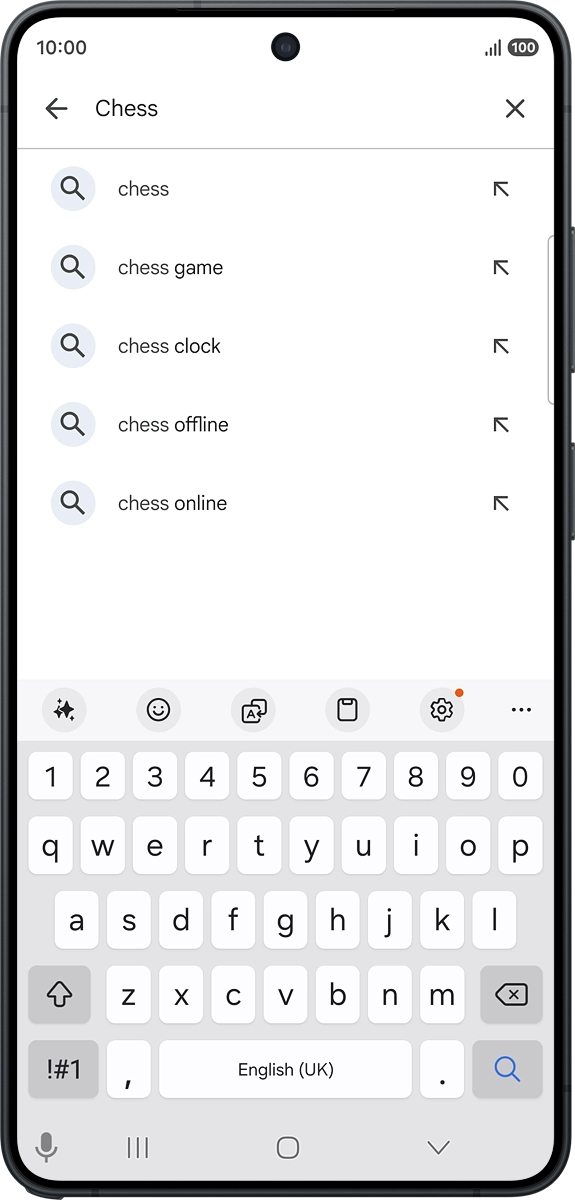
Step 5 of 10

On your phone: Press the search field and key in the name or subject of the required app.

On your phone: Press the search icon.
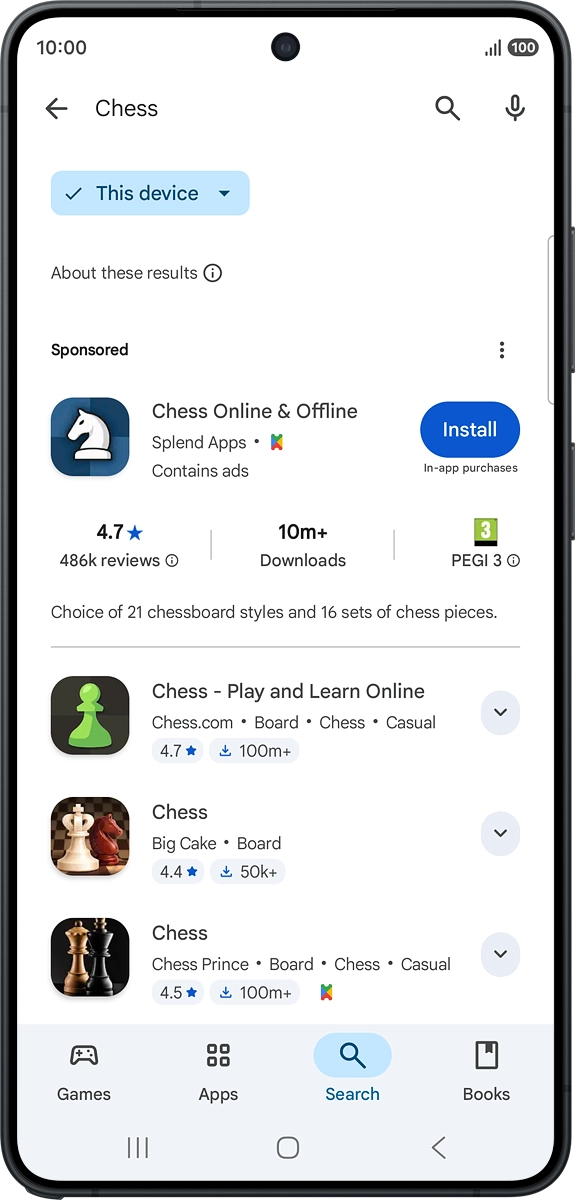
Step 6 of 10

On your phone: Press the search icon.

On your phone: Press the device selection drop down list.
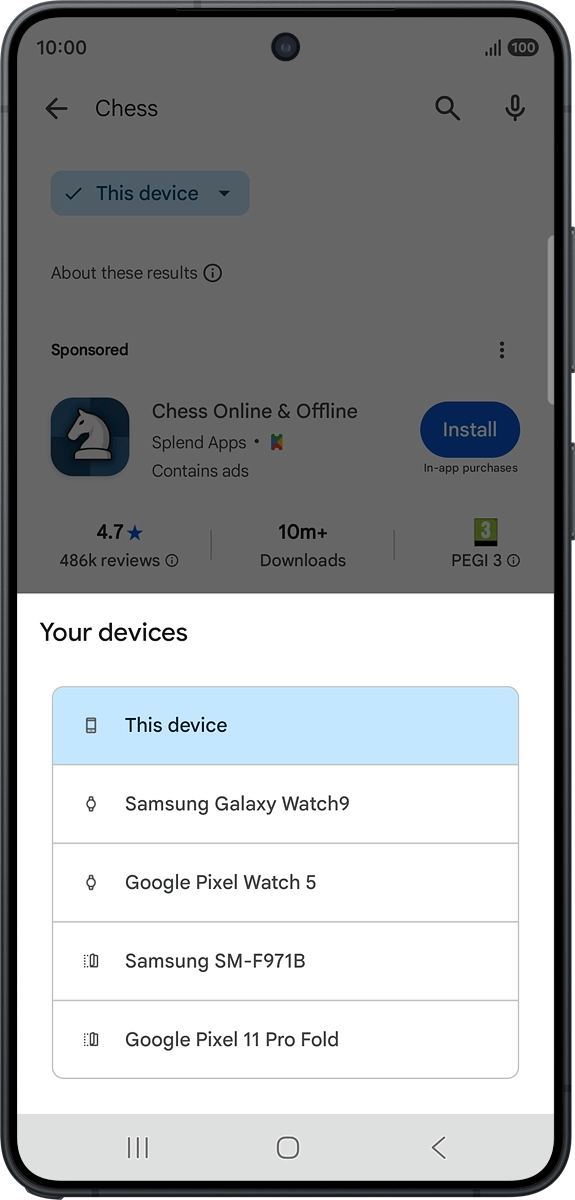
Step 7 of 10

On your phone: Press the device selection drop down list.

On your phone: Press Watch.
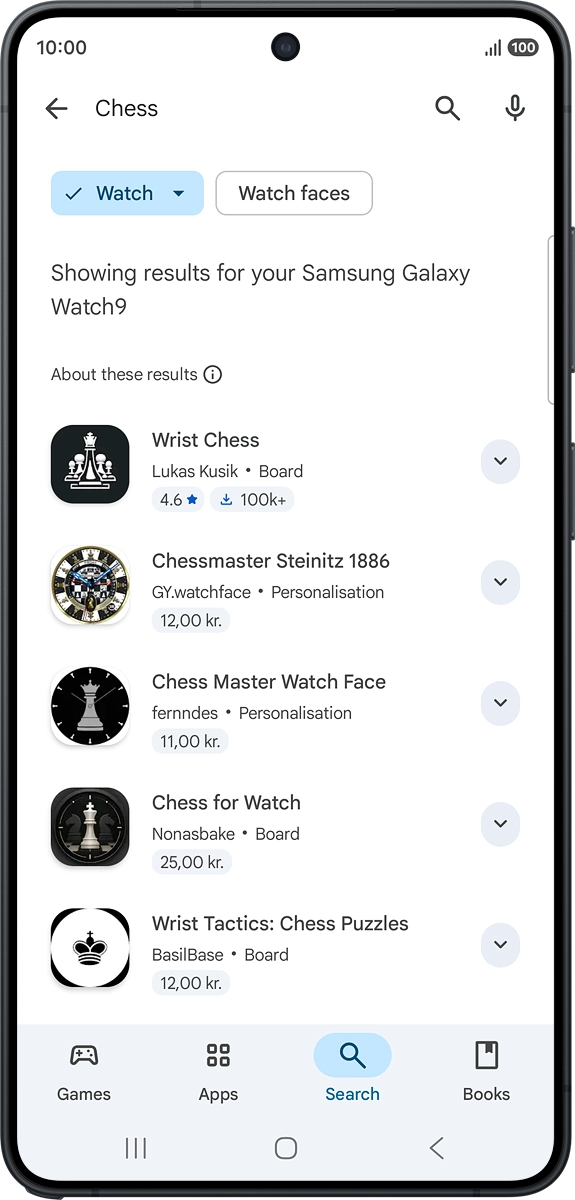
Step 8 of 10

On your phone: Press Watch.

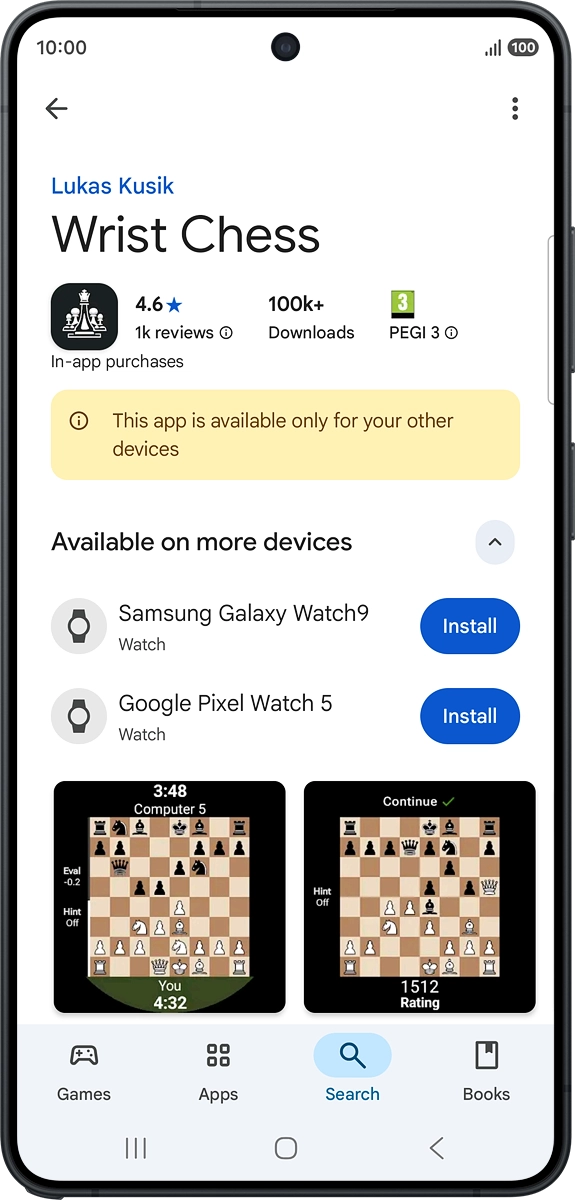
On your phone: Press the required app.
Step 9 of 10

On your phone: Press the required app.

On your phone: Press Install and follow the instructions on the screen to install the app.
Step 10 of 10

On your phone: Press Install and follow the instructions on the screen to install the app.


Did this solve your problem?

Yes No

Get information on...

Or choose...

Show more