Help
Device guides
Samsung
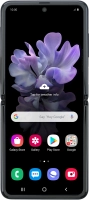
Galaxy Z Flip

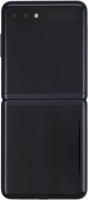
Samsung Galaxy Z Flip
f-87321f46-a363-4f1a-8623-588cddaffa86
f-e757ca9c-c688-4143-a359-268f9fcf3480
f-1aab6645-695f-4897-a44c-025273c76a78
f-5b316b46-fbfa-49d5-8f09-bde3227a2516
f-295f8b0c-a912-4ae9-9c16-a59db5fe6891
f-93a93baa-0109-419e-bd83-b64694ae9f5f
  • Device home
  • Getting started
  • Basic functions
  • Calls, contacts, messaging
  • Connectivity
  • Specifications
  • Device home
  • Getting started
  • Basic functions
  • Calls, contacts, messaging
  • Connectivity
  • Specifications

It's not possible to use Wi-Fi

Solution 4 of 4: Your phone is connected to a Wi-Fi network, but you're not logged on


Some Wi-Fi networks require you to log on via a web page.

Open the internet browser on your phone and try to load a web page. The internet browser is redirected to the homepage of the Wi-Fi network. Follow the instructions on the screen to log on to the Wi-Fi network.


Did this solve your problem?

Yes No

Get information on...

Or choose...

Show more