Help
Device guides
Samsung
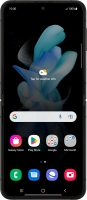
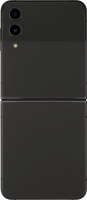
Galaxy Z Flip4

Samsung Galaxy Z Flip4
f-ad0056c4-0e7f-4916-bf8c-52e6258e738b
f-ff866d40-588b-499b-9998-3b20f5b6697a
f-7661c671-8d6d-436c-ba38-8e5ab6c91e59
f-8dbea5ba-e465-4ead-a00b-e948a7a85cc0
f-d637c4b5-1c35-47c4-9ed9-3dd5237cf91d
f-995d3e69-ea7e-403e-abdf-05232e902de3
  • Device home
  • Getting started
  • Basic functions
  • Calls, contacts, messaging
  • Connectivity
  • Specifications
  • Device home
  • Getting started
  • Basic functions
  • Calls, contacts, messaging
  • Connectivity
  • Specifications

Troubleshooting

  • It's not possible to receive messages on my voicemail
  • It's not possible to check my voicemail
  • It's not possible to send and receive text messages
  • It's not possible to send and receive picture messages
  • It's not possible to send and receive email messages
  • It's not possible to use Wi-Fi calling
  • It's not possible to make voice calls
  • It's not possible to receive voice calls

Call settings

  • Turning call waiting on or off
  • Turning your own caller identification on or off
  • Turning Wi-Fi calling on or off

Contacts

  • Creating contact
  • Copying contacts between your SIM and your phone
  • Calling a contact in your address book

Voicemail

  • Saving voicemail number
  • Diverting calls to voicemail
  • Cancelling all diverts

Call restrictions

  • Turning call barring on or off
  • Turning fixed dialling on or off

Text messaging

  • Setting up your phone for text messaging
  • Writing and sending text messages

Picture messaging

  • Setting up your phone for picture messaging
  • Writing and sending picture messages

Email messaging

  • Setting up your phone for POP3 email
  • Writing and sending email messages
  • Setting up your phone for IMAP email

Get information on...

Or choose...

Show more