Help
Device guides
Samsung
Galaxy Z Flip7

Samsung Galaxy Z Flip7

f-eafb9da5-8750-4fef-9dc1-f725f5a7feba
f-a11dae12-8f1b-46b5-90be-089309c402b1
f-b5831145-f08f-4974-b925-a37657fac740
f-7530b2ce-d864-4400-8d6b-a7d32f13d1b2
f-41d1016f-92fd-49b0-a59c-1f80c6b00022
f-c3b6b92f-4355-420c-822a-109bd44ae8ef
f-427e4f8b-31ae-40f7-afc9-7ad76d2c0535
f-b7563523-dccc-4ee8-bd43-9552a241ac3a
  • Device home
  • Getting started
  • Basic functions
  • Calls, contacts, messaging
  • Connectivity
  • Specifications
  • Device home
  • Getting started
  • Basic functions
  • Calls, contacts, messaging
  • Connectivity
  • Specifications

Saving voicemail number

You can save your voicemail number making it easy to call and listen to your voice messages.
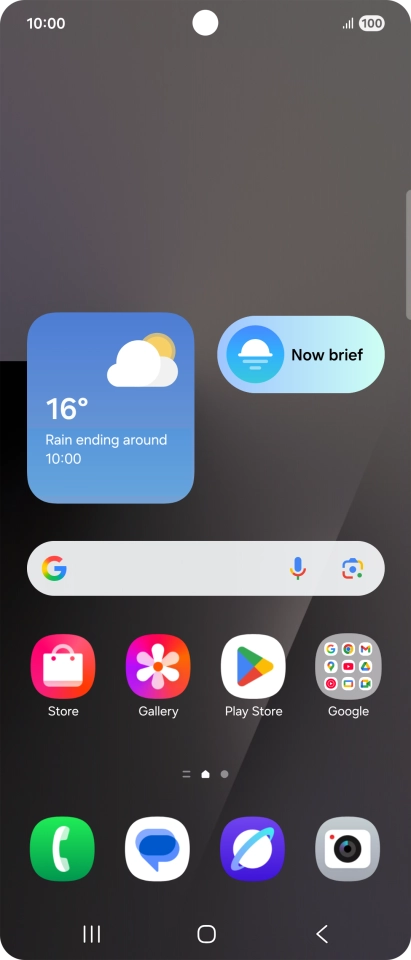
Press the call icon.
Step 1 of 7

Press the call icon.

Press the menu icon.
Step 2 of 7

Press the menu icon.

Press Settings.
Press Settings.
Step 3 of 7

Press Settings.

Press Voicemail.
Press Voicemail.
Step 4 of 7

Press Voicemail.

Press Voicemail number.
Step 5 of 7

Press Voicemail number.

Key in +447953222222 and press OK.
+447953222222
Key in +447953222222 and press OK.
+447953222222
Step 6 of 7

Key in +447953222222 and press OK.

Press the Home key to return to the home screen.
Step 7 of 7

Press the Home key to return to the home screen.

Get information on...

Or choose...

Show more