Help
Device guides
Samsung
Galaxy Z Flip8

Samsung Galaxy Z Flip8
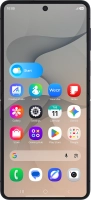
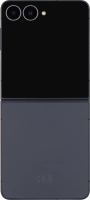
f-5aedd798-186f-4e71-90fc-4e1513546251
f-6bd5226d-d9fc-45e3-8a5c-6b0c038c2ab6
f-5b509b74-6a5d-4388-a56e-6005c3fc8da2
f-a1a07bb0-ef17-4106-8bf6-dc195b92229f
f-2d94f1d6-cd64-4b03-accc-876c58b0487f
f-8e585268-cefb-4603-8304-d551c6b3f589
f-3217fe45-6c6f-4ca2-a501-0a9520c867df
f-f50ae5aa-b891-40ef-b8ad-1ded268abacc
  • Device home
  • Getting started
  • Basic functions
  • Calls, contacts, messaging
  • Connectivity
  • Specifications
  • Device home
  • Getting started
  • Basic functions
  • Calls, contacts, messaging
  • Connectivity
  • Specifications

Saving voicemail number

You can save your voicemail number making it easy to call and listen to your voice messages.

Press the call icon.
Step 1 of 7

Press the call icon.

Press the menu icon.
Step 2 of 7

Press the menu icon.

Press Settings.
Press Settings.
Step 3 of 7

Press Settings.

Press Voicemail.
Press Voicemail.
Step 4 of 7

Press Voicemail.

Press Voicemail number.
Step 5 of 7

Press Voicemail number.

Key in +447953222222 and press OK.
+447953222222
Key in +447953222222 and press OK.
+447953222222
Step 6 of 7

Key in +447953222222 and press OK.

Press the Home key to return to the home screen.
Step 7 of 7

Press the Home key to return to the home screen.

Get information on...

Or choose...

Show more