Help
Device guides
Samsung
Galaxy Z Fold5

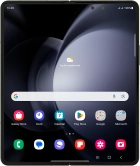
Samsung Galaxy Z Fold5
f-84fe8186-7b85-430f-945a-fd3aeb752513
f-70f4573f-b7d2-4bc3-bd4b-dc0db7478caa
f-882029de-3189-4279-99b9-86c8e2746f45
f-dc858432-a497-4886-9553-d1cc9a02b75d
f-2b620b3b-b1b7-4c06-9e23-e5388b1db8aa
f-6b3d18ff-f3bc-4509-b583-9e148e3c05e0
  • Device home
  • Getting started
  • Basic functions
  • Calls, contacts, messaging
  • Connectivity
  • Specifications
  • Device home
  • Getting started
  • Basic functions
  • Calls, contacts, messaging
  • Connectivity
  • Specifications

It's not possible to receive messages on my voicemail

Solution 3 of 3: Incoming calls aren't diverted to your voicemail

To receive voice messages, you need to divert your calls to your voicemail.
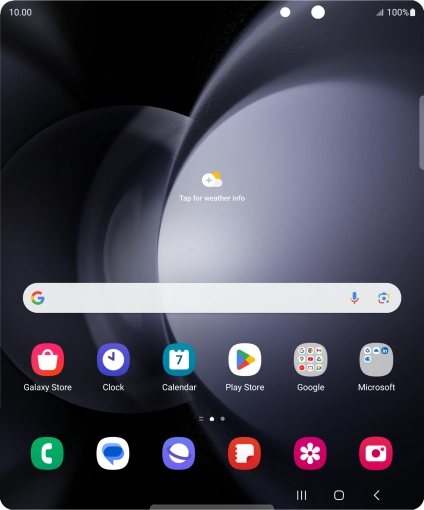
Press the call icon.
Step 1 of 8

Press the call icon.

Press the menu icon.
Step 2 of 8

Press the menu icon.

Press Settings.
Press Settings.
Step 3 of 8

Press Settings.

Press Supplementary services.
Step 4 of 8

Press Supplementary services.

Press Call forwarding.
Step 5 of 8

Press Call forwarding.

Press the required divert type.
Step 6 of 8

Press the required divert type.

Key in +447953222222 and press Enable.
+447953222222
Key in +447953222222 and press Enable.
+447953222222
Step 7 of 8

Key in +447953222222 and press Enable.

Press the Home key to return to the home screen.
Step 8 of 8

Press the Home key to return to the home screen.


Did this solve your problem?

Yes No

Get information on...

Or choose...

Show more