Help
Device guides
Samsung
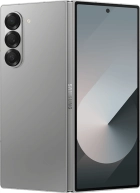
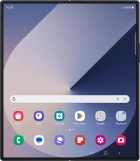
Galaxy Z Fold6 5G

Samsung Galaxy Z Fold6 5G
f-173ca7a9-44b9-4fe2-96a1-41efaaa6a62d
f-bffd5c5d-6c09-41dc-a314-4b5a902f34f0
f-918b1254-e180-4ce6-a452-a957b83dca04
f-efcfc76a-dbef-4595-9f47-3abccb37de68
f-025f7b26-ca08-466c-bd23-8ec72f7442b9
f-c336b28e-b919-4ee2-af82-098db57b8e2a
f-82b84242-62cd-4f9f-997e-ec000cf3492c
f-d71eebf3-3965-48e9-b02f-258e08fbf2e9
  • Device home
  • Getting started
  • Basic functions
  • Calls, contacts, messaging
  • Connectivity
  • Specifications
  • Device home
  • Getting started
  • Basic functions
  • Calls, contacts, messaging
  • Connectivity
  • Specifications

Troubleshooting

  • It's not possible to receive messages on my voicemail
  • It's not possible to check my voicemail
  • It's not possible to send and receive text messages
  • It's not possible to send and receive picture messages
  • It's not possible to send and receive email messages
  • It's not possible to use Wi-Fi calling
  • It's not possible to make voice calls
  • It's not possible to receive voice calls

Call settings

  • Turning call waiting on or off
  • Turning your own caller identification on or off
  • Turning Wi-Fi calling on or off

Contacts

  • Saving new contact to your Google account
  • Copying contacts between your SIM and your Google account

Voicemail

  • Saving voicemail number
  • Diverting calls to voicemail
  • Cancelling all diverts

Call restrictions

  • Turning call barring on or off
  • Turning fixed dialling on or off

Text messaging

  • Setting up your phone for text messaging

Picture messaging

  • Setting up your phone for picture messaging

Email messaging

  • Setting up your phone for IMAP email

Get information on...

Or choose...

Show more