Help
Device guides
Samsung
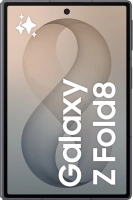
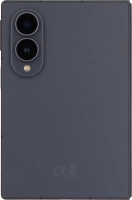
Galaxy Z Fold8

Samsung Galaxy Z Fold8
f-60e27214-6991-4918-8361-21053f4ac47b
f-3d9c5f83-72eb-4fcb-a829-761427cc2b0a
f-8e1b67d4-0a3a-4f9d-921d-ed48cf5684e6
f-a1fe1c4b-3b9f-419c-bfd5-4c5a63a21ed4
f-e31aa5b6-9295-4cc2-9651-911cee71a6f0
f-0662be3c-2f11-4693-9442-182f29a385b1
f-949ff82c-fe8f-4dcf-ba09-9c83e925b540
f-ccba10b1-309d-4e57-8f24-d2228a1f8e05
  • Device home
  • Getting started
  • Basic functions
  • Calls, contacts, messaging
  • Connectivity
  • Specifications
  • Device home
  • Getting started
  • Basic functions
  • Calls, contacts, messaging
  • Connectivity
  • Specifications

It's not possible to receive voice calls

Solution 1 of 4: Missed calls are diverted too fast

To receive voice messages, you need to divert your calls to your voicemail.
Press the call icon.
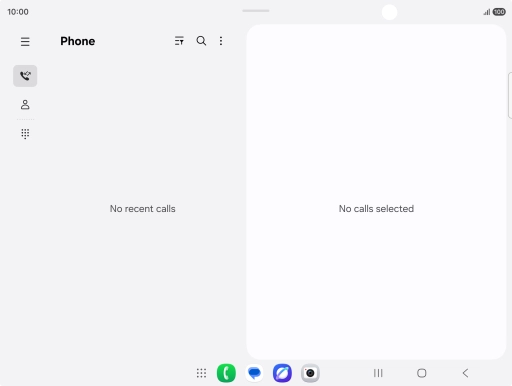
Step 1 of 8

Press the call icon.

Press the menu icon.
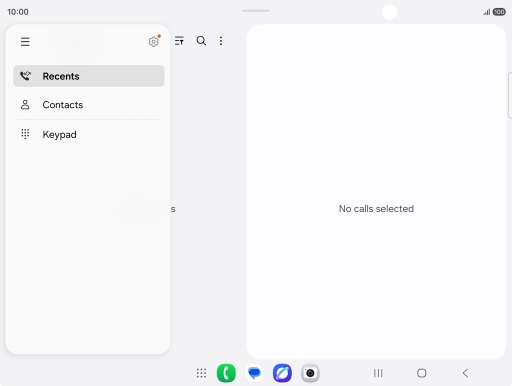
Step 2 of 8

Press the menu icon.

Press the settings icon.
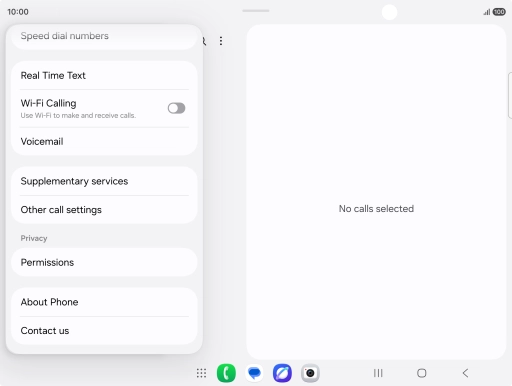
Step 3 of 8

Press the settings icon.

Press Supplementary services.
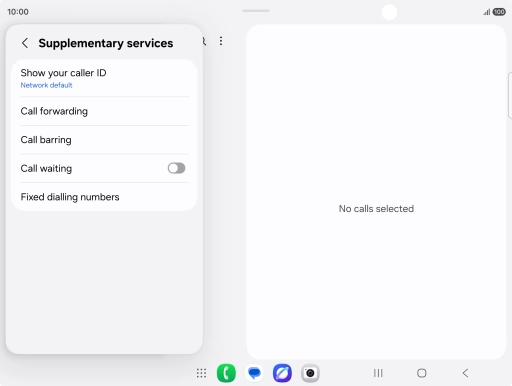
Step 4 of 8

Press Supplementary services.

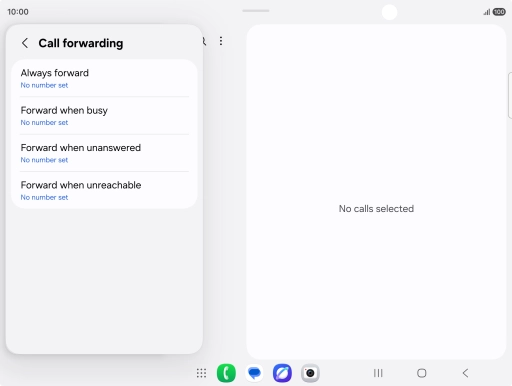
Press Call forwarding.
Step 5 of 8

Press Call forwarding.

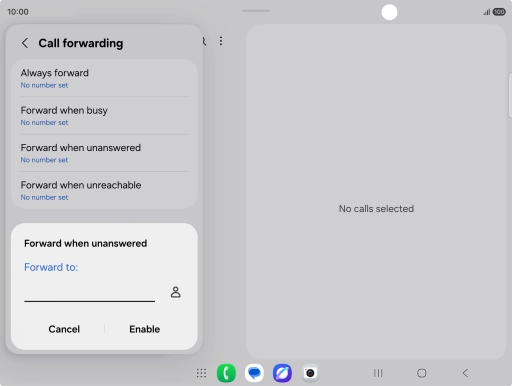
Press the required divert type.
Step 6 of 8

Press the required divert type.

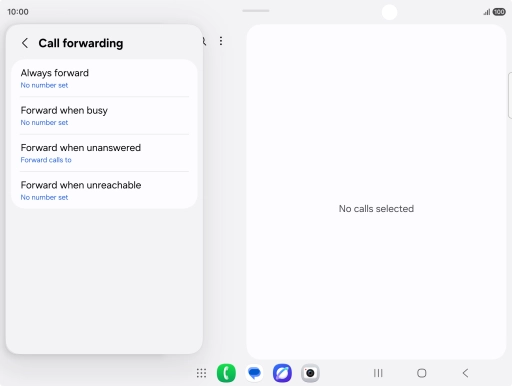
Key in +447953222222 and press Enable.
+447953222222
Key in +447953222222 and press Enable.
+447953222222
Step 7 of 8

Key in +447953222222 and press Enable.

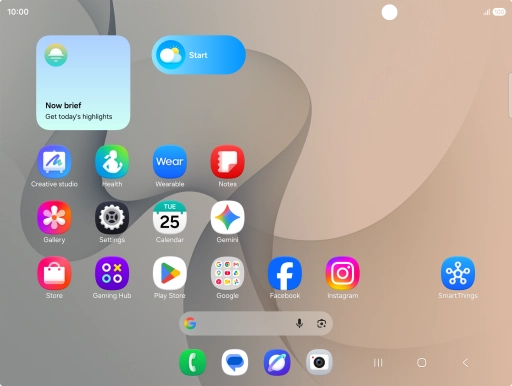
Press the Home key to return to the home screen.
Step 8 of 8

Press the Home key to return to the home screen.


Did this solve your problem?

Yes No

Get information on...

Or choose...

Show more