Help
Device guides
Samsung
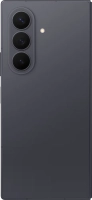
Galaxy Z Fold8 Ultra

Samsung Galaxy Z Fold8 Ultra
f-1c42fe19-6ff3-4aa4-a958-40c598d86b69
f-b16f8591-6f9b-4670-b51a-24f939033705
f-e00826a6-248d-48f7-bc2a-a11f52ef260c
f-fa51ff24-c6a9-4638-bdb5-6bd2b368416c
f-8e4273e6-2c05-4973-bdab-06517eb50889
f-536aa3fa-3f22-4996-aee1-bc860f0c8ad9
f-bd92968b-bc12-4f1d-a487-0964a5b22589
f-4dcfbe3a-88a9-40c6-9a09-e8023b50c915
  • Device home
  • Getting started
  • Basic functions
  • Calls, contacts, messaging
  • Connectivity
  • Specifications
  • Device home
  • Getting started
  • Basic functions
  • Calls, contacts, messaging
  • Connectivity
  • Specifications

Diverting calls to voicemail

To receive voice messages, you need to divert your calls to your voicemail.

Press the call icon.
Step 1 of 8

Press the call icon.

Press the menu icon.
Step 2 of 8

Press the menu icon.

Press the settings icon.
Step 3 of 8

Press the settings icon.

Press Supplementary services.
Step 4 of 8

Press Supplementary services.

Press Call forwarding.
Step 5 of 8

Press Call forwarding.

Press the required divert type.
Step 6 of 8

Press the required divert type.

Key in +447953222222 and press Enable.
+447953222222
Key in +447953222222 and press Enable.
+447953222222
Step 7 of 8

Key in +447953222222 and press Enable.

Press the Home key to return to the home screen.
Step 8 of 8

Press the Home key to return to the home screen.

Get information on...

Or choose...

Show more