




Help
Device guides
Sony
Xperia 10

Sony Xperia 10

f-7aabb6b1-2407-4f16-813d-95922d385bee
f-7f8006f1-379c-4ffc-bb11-ac4e93eba3a9
f-d724d92d-8ef4-49af-8950-1132e7a199fa
f-324d67a8-ee63-4c6a-88e2-9401f679f97d
f-8b5d92cb-1229-4725-a840-ea978a36bd6d
f-9d8a0fc0-cc50-4f6a-a4c5-7125f860fdb7
  • Device home
  • Getting started
  • Basic functions
  • Calls, contacts, messaging
  • Connectivity
  • Specifications
  • Device home
  • Getting started
  • Basic functions
  • Calls, contacts, messaging
  • Connectivity
  • Specifications

Selecting ring tone

You can select the ring tone you want to hear when you get a call.
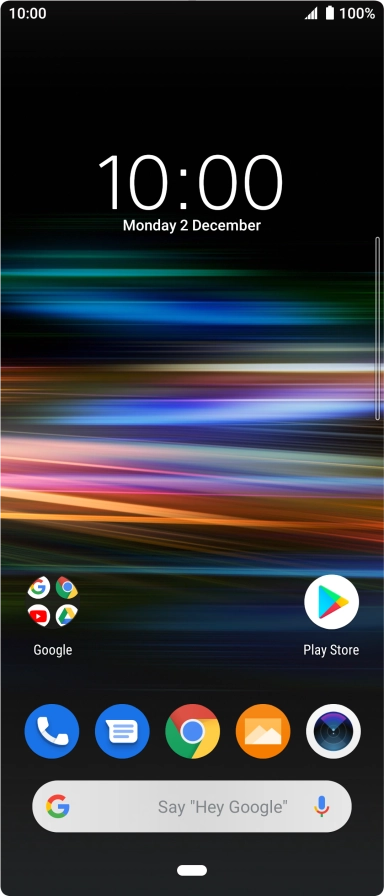
Slide two fingers downwards starting from the top of the screen.
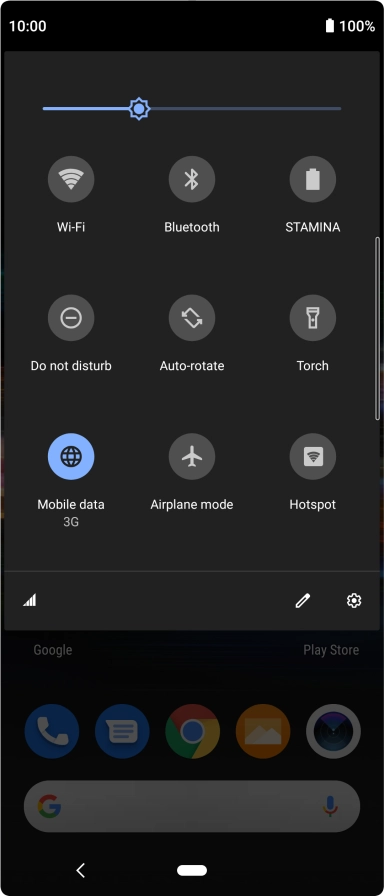
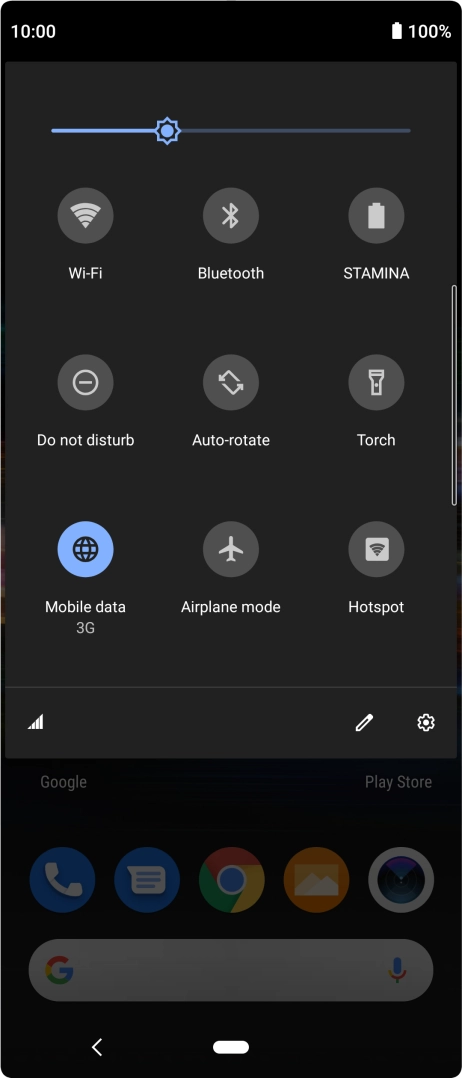
Step 1 of 11

Slide two fingers downwards starting from the top of the screen.

Press the settings icon.
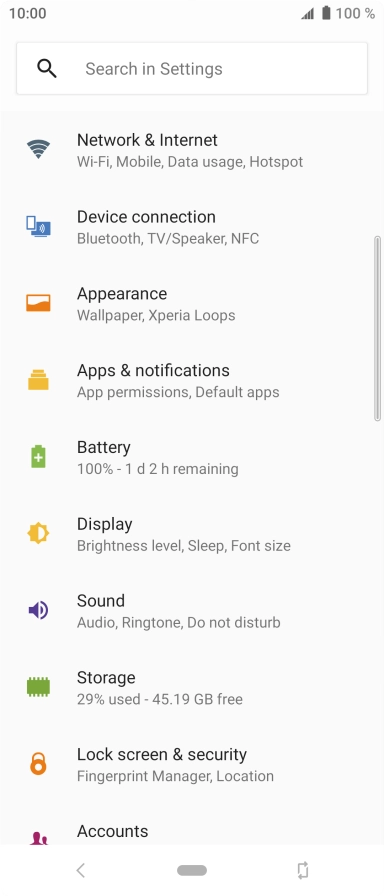
Step 2 of 11

Press the settings icon.

Press Sound.
Press Sound.
Step 3 of 11

Press Sound.

Press Phone ringtone.
Step 4 of 11

Press Phone ringtone.

Press Add ringtone.
Press Add ringtone.
Step 5 of 11

Press Add ringtone.

Slide your finger right starting from the left side of the screen.
Step 6 of 11

Slide your finger right starting from the left side of the screen.

Press Audio and go to the required folder.
Step 7 of 11

Press Audio and go to the required folder.

Press the required ring tone to add it to the list of ting tones.
Step 8 of 11

Press the required ring tone to add it to the list of ting tones.

Press the required ring tone to select it.
Step 9 of 11

Press the required ring tone to select it.

Press OK.
Press OK.
Step 10 of 11

Press OK.

Press the Home key to return to the home screen.
Step 11 of 11

Press the Home key to return to the home screen.

Get information on...

Or choose...

Show more