




Help
Device guides
Sony
Xperia 10 VI

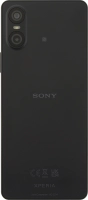
Sony Xperia 10 VI

f-1dc4a519-f533-4f87-bc16-fc05abd35463
f-d2f6af16-51e0-49ea-8565-ec347c026cb4
f-1d6b68aa-32b2-49a8-b3ed-eacc6202b2e0
f-d466304f-8c65-4b1b-a2d7-a17b20bf0690
f-4bdbe603-23b4-46bc-a97a-3f3a53539e0d
f-fd26d36a-6260-4c09-b1b2-a0de35062a77
  • Device home
  • Getting started
  • Basic functions
  • Calls, contacts, messaging
  • Connectivity
  • Specifications
  • Device home
  • Getting started
  • Basic functions
  • Calls, contacts, messaging
  • Connectivity
  • Specifications

Taking screenshot

You can take a picture of your screen if you want to share something with your friends or save the picture for later use.

Simultaneously, press the Side key and the lower part of the Volume key to take a screenshot.
Step 1 of 1

Simultaneously, press the Side key and the lower part of the Volume key to take a screenshot.

The picture is saved in the phone gallery.

Get information on...

Or choose...

Show more