


Help
Device guides
Sony
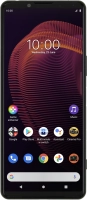
Xperia 5 iii

Sony Xperia 5 iii

f-244d8a5d-4578-4fbf-b3dd-38309a86f932
f-14ca7655-6b81-43b0-ad14-f60183902883
f-c860b33c-ad66-480d-b367-83f54428a6ca
f-d930a995-35c2-4ed6-a6fd-c581b8e8d7cc
f-cd13a60c-5700-44b3-9b03-d4cf922ca20c
f-3f16e35a-9661-4614-87ea-417b3be4e218
  • Device home
  • Getting started
  • Basic functions
  • Calls, contacts, messaging
  • Connectivity
  • Specifications
  • Device home
  • Getting started
  • Basic functions
  • Calls, contacts, messaging
  • Connectivity
  • Specifications

It's not possible to use Wi-Fi

Solution 4 of 4: Your phone is connected to a Wi-Fi network, but you're not logged on


Some Wi-Fi networks require you to log on via a web page.

Open the internet browser on your phone and try to load a web page. The internet browser is redirected to the homepage of the Wi-Fi network. Follow the instructions on the screen to log on to the Wi-Fi network.


Did this solve your problem?

Yes No

Get information on...

Or choose...

Show more