




Help
Device guides
Sony
Xperia 5 iii

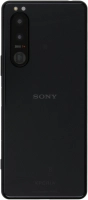
Sony Xperia 5 iii

f-244d8a5d-4578-4fbf-b3dd-38309a86f932
f-14ca7655-6b81-43b0-ad14-f60183902883
f-c860b33c-ad66-480d-b367-83f54428a6ca
f-d930a995-35c2-4ed6-a6fd-c581b8e8d7cc
f-cd13a60c-5700-44b3-9b03-d4cf922ca20c
f-3f16e35a-9661-4614-87ea-417b3be4e218
  • Device home
  • Getting started
  • Basic functions
  • Calls, contacts, messaging
  • Connectivity
  • Specifications
  • Device home
  • Getting started
  • Basic functions
  • Calls, contacts, messaging
  • Connectivity
  • Specifications

It's not possible to start my phone

Solution 6 of 7: Your SIM has been permanently blocked


If your SIM has been permanently blocked, you'll need a new SIM.

Call customer services on 150 (from an EE phone) or 07953 966 250 (from other phones) to have a new SIM sent to you. You can also visit your nearest EE store to order a new SIM. Remember to bring valid picture ID.


Did this solve your problem?

Yes No

Get information on...

Or choose...

Show more