


Help
Device guides
TCL
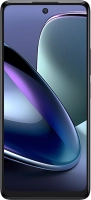
50 5G

TCL 50 5G

f-b6566bd3-e7fc-4fc8-9a5f-a75505894a77
f-6c4ee75e-46a3-4b66-a052-ad9fc936ffcc
f-85282573-4852-4ee1-b32f-d6340ebd4705
f-1973e2b8-a4ab-4364-8e1c-058b89634bb1
f-1f58e8e8-2ac4-4ce5-9185-c1396afa5272
f-b12207a3-cc3c-430b-93d1-c70b2db5247e
f-4680b6ca-1b8c-4a6f-b104-feaab6ec69e6
f-9b540082-6466-4f29-ad29-682415659b5e
  • Device home
  • Getting started
  • Basic functions
  • Calls, contacts, messaging
  • Connectivity
  • Specifications
  • Device home
  • Getting started
  • Basic functions
  • Calls, contacts, messaging
  • Connectivity
  • Specifications

It's not possible to use Wi-Fi

Solution 3 of 4: Your phone is connected to a Wi-Fi network, but you're not logged on


Some Wi-Fi networks require you to log on via a web page.

Open the internet browser on your phone and try to load a web page. The internet browser is redirected to the homepage of the Wi-Fi network. Follow the instructions on the screen to log on to the Wi-Fi network.


Did this solve your problem?

Yes No

Get information on...

Or choose...

Show more