Help
Device guides
Apple
iPad (11th Generation)
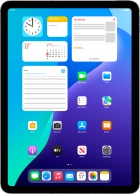
iPad (11th Generation)
f-00c9765e-6f6e-4522-818e-f8455fa7a868
f-e59856ae-d2e8-4683-b359-7d474580d9eb
f-b594f807-b95b-4574-8f84-af7093476ee2
f-da61eeb4-ab27-4f2d-8dd3-3b6f3eb0ccb2
f-82090464-bc29-44d7-a9e5-728d82734170
f-22b607ec-c3b7-4bde-b6a4-f63e196ad4c1
f-651d4ff6-b3d7-45ab-845c-691c74ae9ab6
f-1611bb2c-ba8a-4c32-be07-ac0557184841
  • Device home
  • Getting started
  • Basic functions
  • Contacts and messages
  • Connectivity
  • Specifications
  • Device home
  • Getting started
  • Basic functions
  • Contacts and messages
  • Connectivity
  • Specifications

It's not possible to start my tablet

Solution 4 of 7: Your SIM has been permanently blocked


If your SIM has been permanently blocked, you'll need a new SIM.

Call customer services on 150 (from an EE phone) or 07953 966 250 (from other phones) to have a new SIM sent to you. You can also visit your nearest EE store to order a new SIM. Remember to bring valid picture ID.


Did this solve your problem?

Yes No

Get information on...

Or choose...

Show more