Help
Device guides
Apple
iPad (8th Generation)

iPad (8th Generation)

f-6f1a1b65-69a3-4943-bfe5-22217d4bfd36
f-0889e855-ca56-4ebf-a659-8c7ea5cebe68
f-188b61d5-e1da-4335-b7d7-3f574d3ad5c0
f-eafb10c0-c254-419a-98ca-0d45339a81a7
f-5f486f02-27fe-43bb-a5e9-53e58df08982
f-929f9df6-0609-42f7-9cf1-a90a33b34898
  • Device home
  • Getting started
  • Basic functions
  • Contacts and messages
  • Connectivity
  • Specifications
  • Device home
  • Getting started
  • Basic functions
  • Contacts and messages
  • Connectivity
  • Specifications

Resetting network settings

If you have problems using network configurations on your tablet, such as mobile data, Wi-Fi or Bluetooth, resetting the network settings may help.
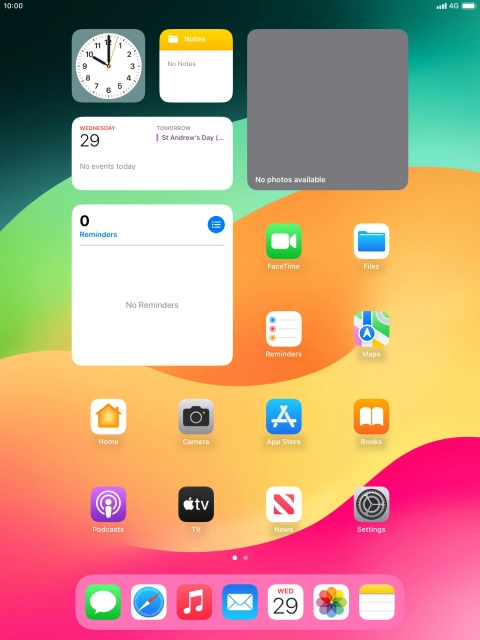
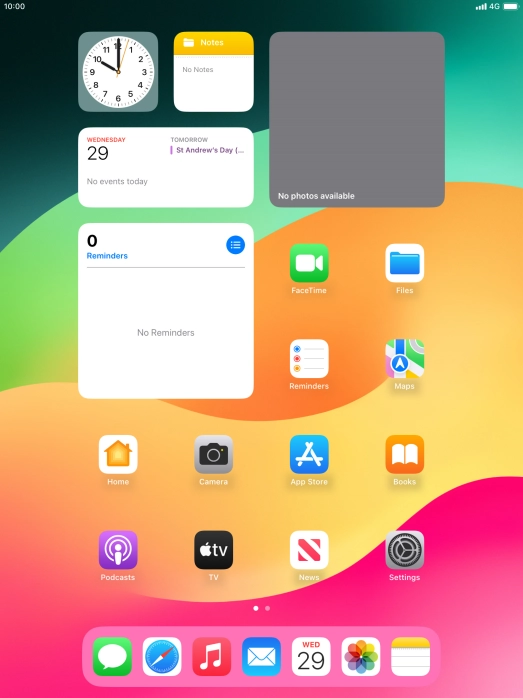
Press Settings.
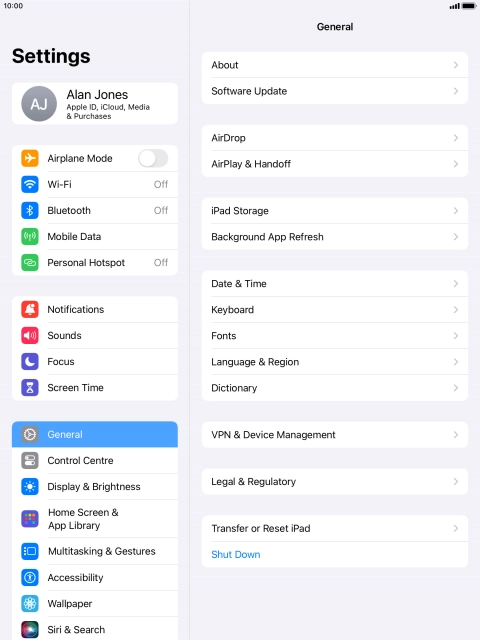
Press Settings.
Step 1 of 7

Press Settings.

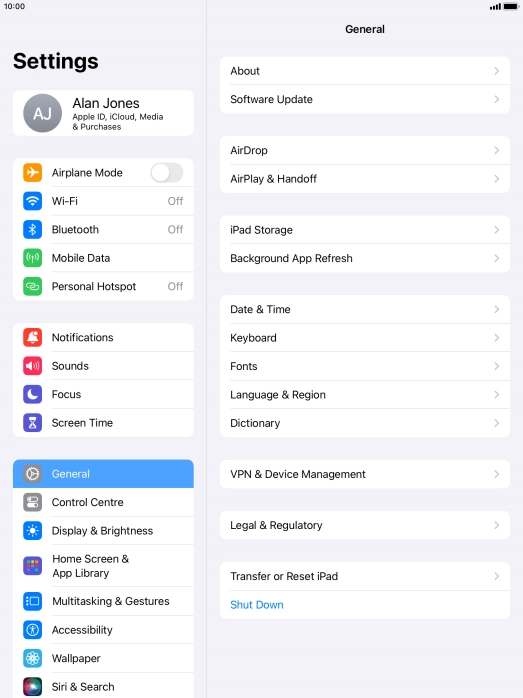
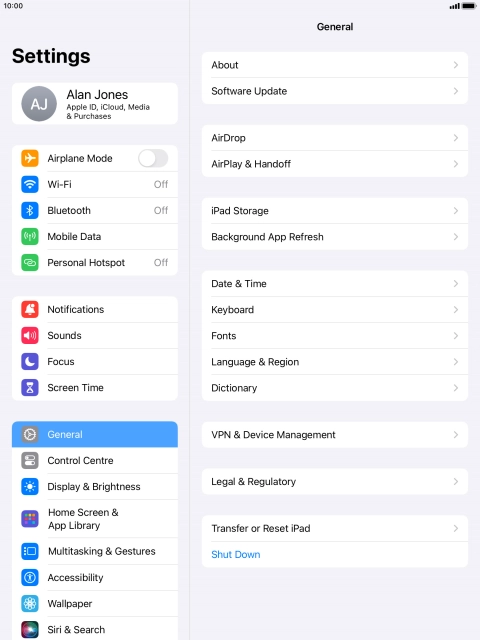
Press General.
Press General.
Step 2 of 7

Press General.

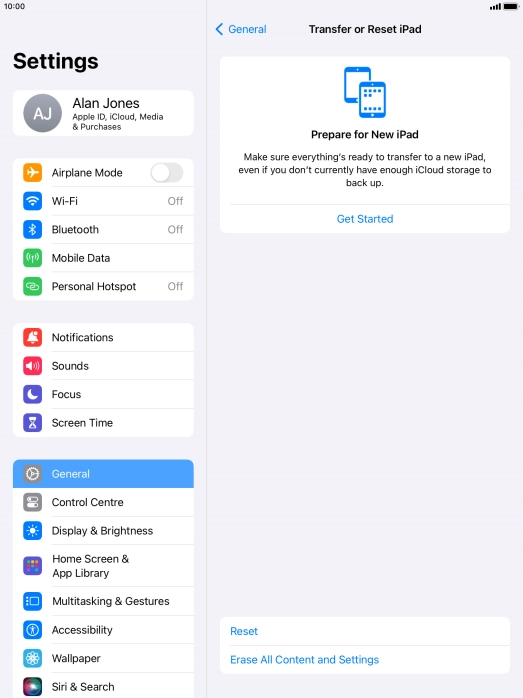
Press Transfer or Reset iPad.
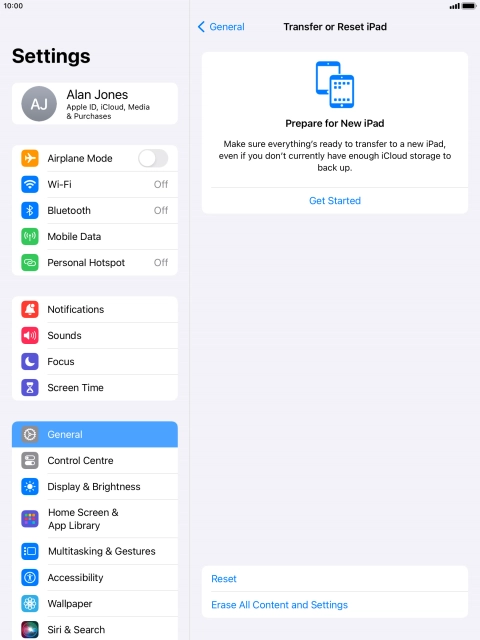
Step 3 of 7

Press Transfer or Reset iPad.

Press Reset.
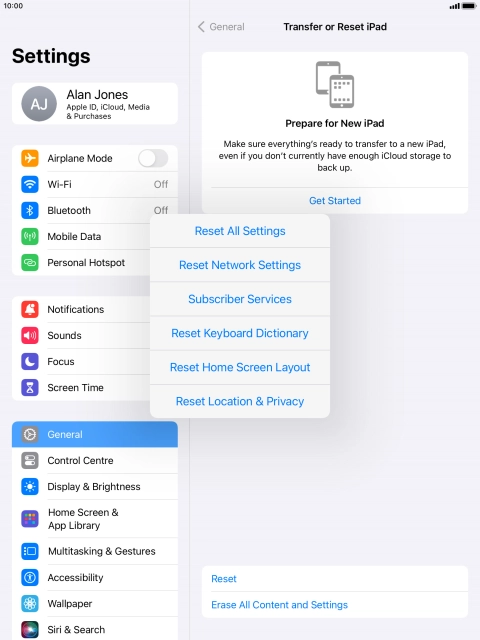
Press Reset.
Step 4 of 7

Press Reset.

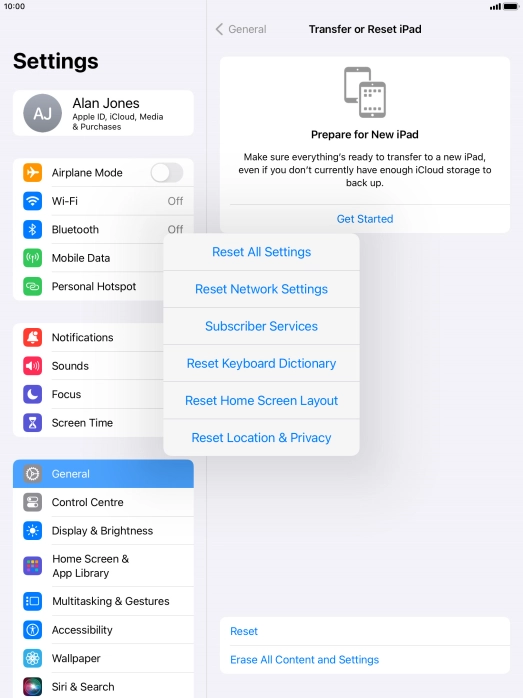
Press Reset Network Settings.
Step 5 of 7

Press Reset Network Settings.

Press Reset.
Press Reset.
Step 6 of 7

Press Reset.

Please note that all saved APN, Wi-Fi and Bluetooth connections and passwords, you've created, are deleted.
Press the Home key to return to the home screen.
Step 7 of 7

Press the Home key to return to the home screen.

Get information on...

Or choose...

Show more