Help
Device guides
Apple
iPad (8th Generation)
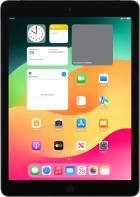

iPad (8th Generation)

f-6f1a1b65-69a3-4943-bfe5-22217d4bfd36
f-0889e855-ca56-4ebf-a659-8c7ea5cebe68
f-188b61d5-e1da-4335-b7d7-3f574d3ad5c0
f-eafb10c0-c254-419a-98ca-0d45339a81a7
f-5f486f02-27fe-43bb-a5e9-53e58df08982
f-929f9df6-0609-42f7-9cf1-a90a33b34898
  • Device home
  • Getting started
  • Basic functions
  • Contacts and messages
  • Connectivity
  • Specifications
  • Device home
  • Getting started
  • Basic functions
  • Contacts and messages
  • Connectivity
  • Specifications

It's not possible to send and receive iMessages

Solution 1 of 4: Time zone, date and time aren't correctly set on your tablet

It's important that the date and time are correct as some tablet functions won't work.
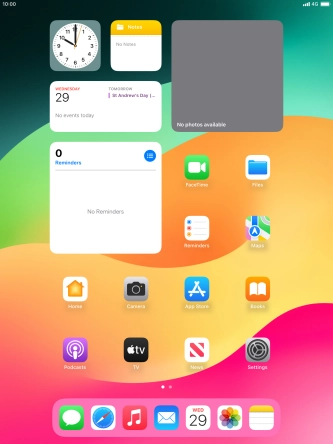
Press Settings.
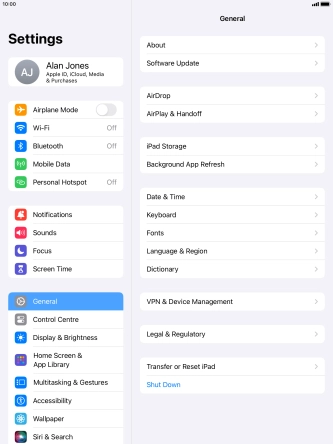
Press Settings.
Step 1 of 5

Press Settings.

Press General.
Press General.
Step 2 of 5

Press General.

Press Date & Time.
Press Date & Time.
Step 3 of 5

Press Date & Time.

Press the indicator next to
Step 4 of 5

Press the indicator next to "Set Automatically" to turn on the function.

Press the Home key to return to the home screen.
Step 5 of 5

Press the Home key to return to the home screen.


Did this solve your problem?

Yes No

Get information on...

Or choose...

Show more