


Help
Device guides
Apple
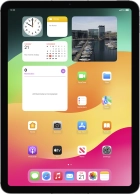
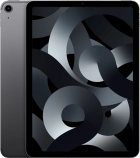
iPad Air 5G

iPad Air 5G

f-7db4bd72-dbec-46bb-88d5-ea5fc91e50e1
f-e35e89ab-8cc6-405c-a4b8-92c0f32646a4
f-b7376491-1e54-4bf0-a162-97827adf44f8
f-65eb8580-c080-4b26-9669-17d08cb1a7ea
f-1c173ef3-ef8d-484f-aacb-e566b5fb72b0
f-5de01b4a-1678-467e-98cc-7ac4cb5668de
f-f71c9f13-139d-45e8-a176-78829c1de235
f-c01964c2-82b2-4501-8f15-16c38391336e
  • Device home
  • Getting started
  • Basic functions
  • Contacts and messages
  • Connectivity
  • Specifications
  • Device home
  • Getting started
  • Basic functions
  • Contacts and messages
  • Connectivity
  • Specifications

It's not possible to use Wi-Fi

Solution 4 of 4: Your tablet is connected to a Wi-Fi network, but you're not logged on


Some Wi-Fi networks require you to log on via a web page.

Open the internet browser on your tablet and try to load a web page. The internet browser is redirected to the homepage of the Wi-Fi network. Follow the instructions on the screen to log on to the Wi-Fi network.


Did this solve your problem?

Yes No

Get information on...

Or choose...

Show more