Help
Device guides
Apple
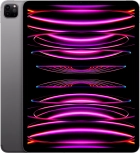
iPad Pro 12.9" (6th Gen)

iPad Pro 12.9" (6th Gen)

f-d77d8bac-40f4-4d55-965a-1facf79d315f
f-5e51a872-9216-40a6-941f-bce2a41f21d5
f-3af40175-2de4-41c2-857c-f179d9f0db58
f-6788974e-8d4d-43df-bae1-598c27602d80
f-c5980d8d-0649-4c25-89cb-7abbfa5729d9
f-87e7b2a6-9353-4b99-a096-86e2b1f48c7f
f-e7110d82-7491-4e84-b0ad-49c05a5627f2
f-be321130-1f2d-4c34-94ce-4a21788a70f5
  • Device home
  • Getting started
  • Basic functions
  • Contacts and messages
  • Connectivity
  • Specifications
  • Device home
  • Getting started
  • Basic functions
  • Contacts and messages
  • Connectivity
  • Specifications

Sound and screen settings

  • Turning silent mode on or off
  • Setting date and time
  • Using notifications
  • Using Do Not Disturb
  • Using Dark Mode
  • Using widgets
  • Selecting lock screen settings

Security codes

  • Turning use of PIN on or off
  • Turning use of lock code on or off
  • Using Face ID

Apps

  • Installing apps from App Store
  • Using music player
  • Turning automatic update of apps on or off
  • Turning automatic synchronisation of apps and app content on or off
  • Turning Offload Unused Apps on or off
  • Selecting settings for background refresh of apps
  • Turning tracking request for downloaded apps on or off
  • Using recording of app activity
  • Using App Library
  • Turning communication safety on or off
  • Turning Sensitive Content Warning on or off

Software update

  • Updating tablet software
  • Restoring factory default settings

Get information on...

Or choose...

Show more