




Help
Device guides
Apple
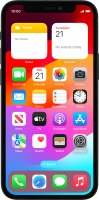
iPhone 12 mini

iPhone 12 mini

f-866fd41f-4f9f-4475-a012-99df8eeddb8a
f-1a0a9c9e-c6f4-45b0-a155-85638e7251ff
f-3b01a13c-9e44-425a-b525-6d41fde9947c
f-c96a6958-4b98-432f-8677-9ba2baab43fb
f-73cabc69-3852-4972-8754-44b9ae7a7546
f-07800272-ac37-4791-a1d7-8e1bdaa952ad
  • Device home
  • Getting started
  • Basic functions
  • Calls, contacts, messaging
  • Connectivity
  • Specifications
  • Device home
  • Getting started
  • Basic functions
  • Calls, contacts, messaging
  • Connectivity
  • Specifications

I can't use my phone's internet connection

Solution 4 of 4: There's an error in the operating system on your phone

If your phone is slow or freezes, it might help to restart it.

Press the Top volume key.
Step 1 of 3

Press the Top volume key.

Press the Bottom volume key.
Step 2 of 3

Press the Bottom volume key.

Press and hold the Side button until your phone restarts.
Step 3 of 3

Press and hold the Side button until your phone restarts.


Did this solve your problem?

Yes No

Get information on...

Or choose...

Show more