




Help
Device guides
Apple
iPhone Xs

iPhone Xs

f-9c685b7e-7b8c-4fbe-b758-c76d1ea472a7
f-454ab23d-79fd-4f7d-bb5f-7d342ff7a7ee
f-de4768b8-4f49-4429-b7da-db7a8c741a05
f-45d8bfd0-3798-4864-88d0-1642c8798c5a
f-941958d3-f9f0-4479-b3c8-37a15eca2b18
f-83bfe655-4220-4e6d-aec8-5fba72e4bce9
  • Device home
  • Getting started
  • Basic functions
  • Calls, contacts, messaging
  • Connectivity
  • Specifications
  • Device home
  • Getting started
  • Basic functions
  • Calls, contacts, messaging
  • Connectivity
  • Specifications

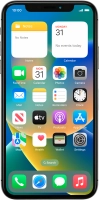
Restarting your phone

If your phone is slow or freezes, it might help to restart it.

Press the Top volume key.
Step 1 of 3

Press the Top volume key.

Press the Bottom volume key.
Step 2 of 3

Press the Bottom volume key.

Press and hold the Side button until your phone restarts.
Step 3 of 3

Press and hold the Side button until your phone restarts.

Get information on...

Or choose...

Show more