




Help
Device guides
Apple
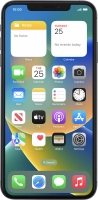
iPhone Xs Max

iPhone Xs Max

f-2bb3fb95-c9fd-41e9-9fe4-fe031f04448f
f-a1ba9599-554d-4822-9e58-9ef9683bc98f
f-88473b3d-e5b3-4074-a570-e19a484473eb
f-914060a0-f516-424b-ab55-2a0d15526219
f-5b70d625-b14d-4d32-9176-f73f7a9e25da
f-fdfee5d9-f771-4064-ba43-c02bcc9eb3af
  • Device home
  • Getting started
  • Basic functions
  • Calls, contacts, messaging
  • Connectivity
  • Specifications
  • Device home
  • Getting started
  • Basic functions
  • Calls, contacts, messaging
  • Connectivity
  • Specifications

I can't make voice calls

Solution 4 of 8: Your phone is overloaded for unknown reasons

If your phone is slow or freezes, it might help to restart it.

Press the Top volume key.
Step 1 of 3

Press the Top volume key.

Press the Bottom volume key.
Step 2 of 3

Press the Bottom volume key.

Press and hold the Side button until your phone restarts.
Step 3 of 3

Press and hold the Side button until your phone restarts.


Did this solve your problem?

Yes No

Get information on...

Or choose...

Show more