Help
Device guides
Apple
Watch SE (2022)

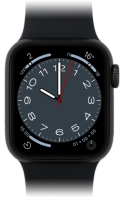
Apple Watch SE (2022)
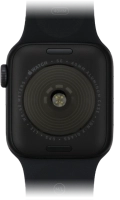
f-200bcbf9-5dc5-4f97-b5c0-2e822d9a9400
f-7b6070be-786a-430f-b460-e7d645f1fb69
f-8e77dfe6-f0a4-491f-bdfb-b6066cb933ef
f-d8840e8e-9006-4ee4-aa5f-4c5a616626f4
f-f061f2c5-501a-4d03-9238-4b7afe531e6f
  • Device home
  • Getting started
  • Basic functions
  • Calls, contacts, messaging
  • Connectivity
  • Specifications
  • Device home
  • Getting started
  • Basic functions
  • Calls, contacts, messaging
  • Connectivity
  • Specifications

I can't install an app

Solution 2 of 2: Your Apple ID payment information is incorrect


The payment information used when buying apps is connected to your Apple ID. If the information is incorrect, it needs to be updated before you can buy apps.

Log on to App Store from a computer and update your payment information.


Did this solve your problem?

Yes No

Get information on...

Or choose...

Show more