Help
Device guides
Apple
Watch SE (2022)

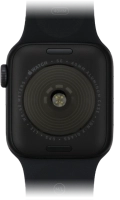
Apple Watch SE (2022)
f-200bcbf9-5dc5-4f97-b5c0-2e822d9a9400
f-7b6070be-786a-430f-b460-e7d645f1fb69
f-8e77dfe6-f0a4-491f-bdfb-b6066cb933ef
f-d8840e8e-9006-4ee4-aa5f-4c5a616626f4
f-f061f2c5-501a-4d03-9238-4b7afe531e6f
  • Device home
  • Getting started
  • Basic functions
  • Calls, contacts, messaging
  • Connectivity
  • Specifications
  • Device home
  • Getting started
  • Basic functions
  • Calls, contacts, messaging
  • Connectivity
  • Specifications

The battery life of my Apple Watch is short

Solution 3 of 3: Low Power Mode has been turned off

Some functions on your Apple Watch use a lot of power and therefore significantly reduce the battery life. You can reduce the power consumption by turning on low power mode.
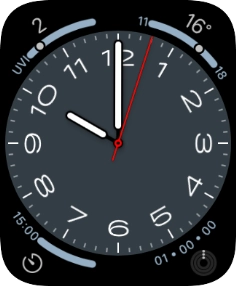
Slide your finger upwards starting from the bottom of the screen.
Step 1 of 4

Slide your finger upwards starting from the bottom of the screen.

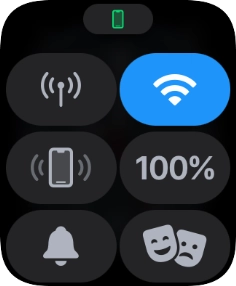
Press the battery percentage.
Step 2 of 4

Press the battery percentage.

Press the indicator next to
Step 3 of 4

Press the indicator next to "Low Power Mode" to turn on the function.

Press Turn On.
Press Turn On.
Step 4 of 4

Press Turn On.


Did this solve your problem?

Yes No

Get information on...

Or choose...

Show more