Help
Device guides
Apple
Watch Series 10

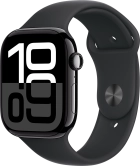
Apple Watch Series 10
f-97e65d25-4966-4b82-93b8-ef302d1dbb5a
f-1cadca11-b442-4f63-aea0-686ebb8e4200
f-7d564155-d586-44f5-86c6-5fb4e0454fcd
f-d82b6dd3-9776-4aca-b0c8-b4ac188f8bab
f-96b4d8b6-5304-4cf3-81aa-6f5584e939c3
f-0f7fbe03-d948-4e20-85a3-252f839e23bd
f-a698d9a8-64d7-4df2-b966-0e5c0d229fa0
  • Device home
  • Getting started
  • Basic functions
  • Calls, contacts, messaging
  • Connectivity
  • Specifications
  • Device home
  • Getting started
  • Basic functions
  • Calls, contacts, messaging
  • Connectivity
  • Specifications

I can't use one of my apps

Solution 2 of 2: The software on your Apple Watch hasn't been updated to the latest version

It's recommended that you update your Apple Watch with the newest software, as the manufacturer continuously corrects errors.

On your phone: Press Watch.
Step 1 of 4

On your phone: Press Watch.

On your phone: Press My Watch.
Step 2 of 4

On your phone: Press My Watch.

On your phone: Press General.
Step 3 of 4

On your phone: Press General.

On your phone: Press Software Update. If a new software version is available, it's displayed. Follow the instructions on the screen to update the Apple Watch software.
Step 4 of 4

On your phone: Press Software Update. If a new software version is available, it's displayed. Follow the instructions on the screen to update the Apple Watch software.


Did this solve your problem?

Yes No

Get information on...

Or choose...

Show more